How to Build a DJ Set From Your Newest Tracks (or Your Forgotten Ones)
Every DJ knows the feeling: a folder of new music you're itching to play, buried under ten thousand tracks you already know. Or the opposite — a back catalogue you've stopped reaching for because the new stuff always wins. SetFlow can now build a set from either end of your collection, using the date each track was added in your DJ software.
Why the date you added a track matters
Genre, key and BPM tell you what a track is. The date you added it tells you where it sits in your own story. Last month's purchases are the tracks you're still learning, and the ones a crowd hasn't heard from you yet. The tracks you added three years ago are the ones you know inside out — and probably the ones you've forgotten you own.
Most set planning ignores that completely. Filter by genre on a large library and you get everything in the genre, old and new mixed together. Once a collection grows past a few thousand tracks, that's the moment filtering stops helping.
Where the date comes from
SetFlow reads the date straight from your DJ software when you import your library (step-by-step for Traktor and Serato):
- Rekordbox — the Date Added column, exported as
DateAddedin your collection XML. - Traktor — the Import Date column, stored as
IMPORT_DATEincollection.nml. - Serato — the date added that Serato keeps for every track in its library database.
That's the date the track entered your collection — not the day you imported your collection into SetFlow, and not the track's release date. (For release years, there's a separate Era filter: see how to build a 90s house set.)
Step 1: Re-import your collection once
If you imported your library before October 2026, your tracks are carrying the day they came into SetFlow instead of their real add dates. Re-import the same collection file once and SetFlow picks the real dates up. Nothing else changes: your sets, crates, genre fixes and ratings all stay as they are. The Added panel on Create tells you if your dates still look like import days, with a link straight to the importer.
Step 2: Pick a window on Create
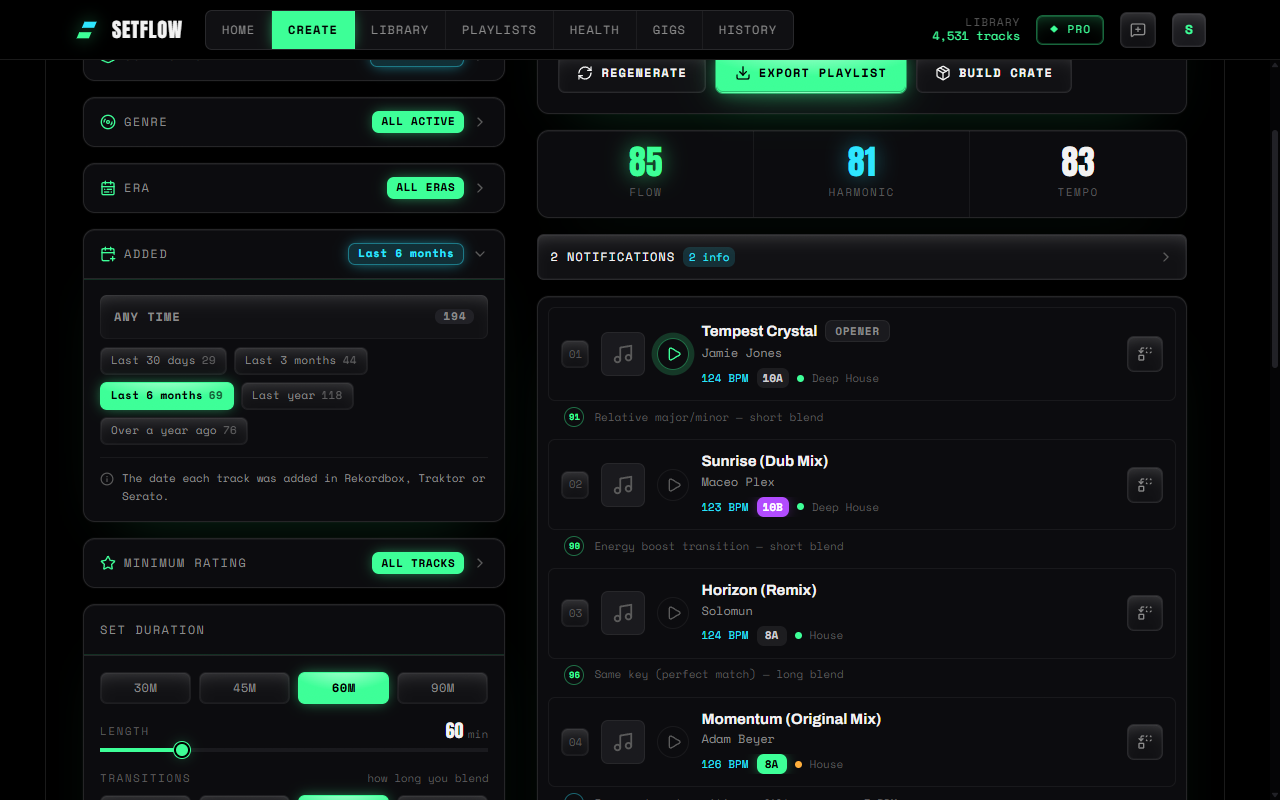
On Create, open the Added panel under Era and choose a window:
- Last 30 days — this month's finds only.
- Last 3 months or Last 6 months — the new music you're still working into your sets.
- Last year — everything current.
- Over a year ago — the back catalogue. Great for a set built entirely from tracks you've stopped reaching for.
Every option shows how many tracks it leaves you with, counted inside your other filters — so if you've already picked Deep House, the numbers are deep house tracks only. Pick a window, choose your length and energy shape, and generate as normal. Every transition is still checked for key and tempo.
How many tracks do you need?
A narrow window on a small library can leave too little to build a long set from. As a rough guide, aim for at least three times as many tracks in the window as the set needs: about 35 for a one-hour set, 100 for three hours. Below that, SetFlow still builds the set, but it has fewer options for every transition. If the window is too tight, widen it, or drop the genre filter and let the window do the narrowing.
Or start from a crate or playlist
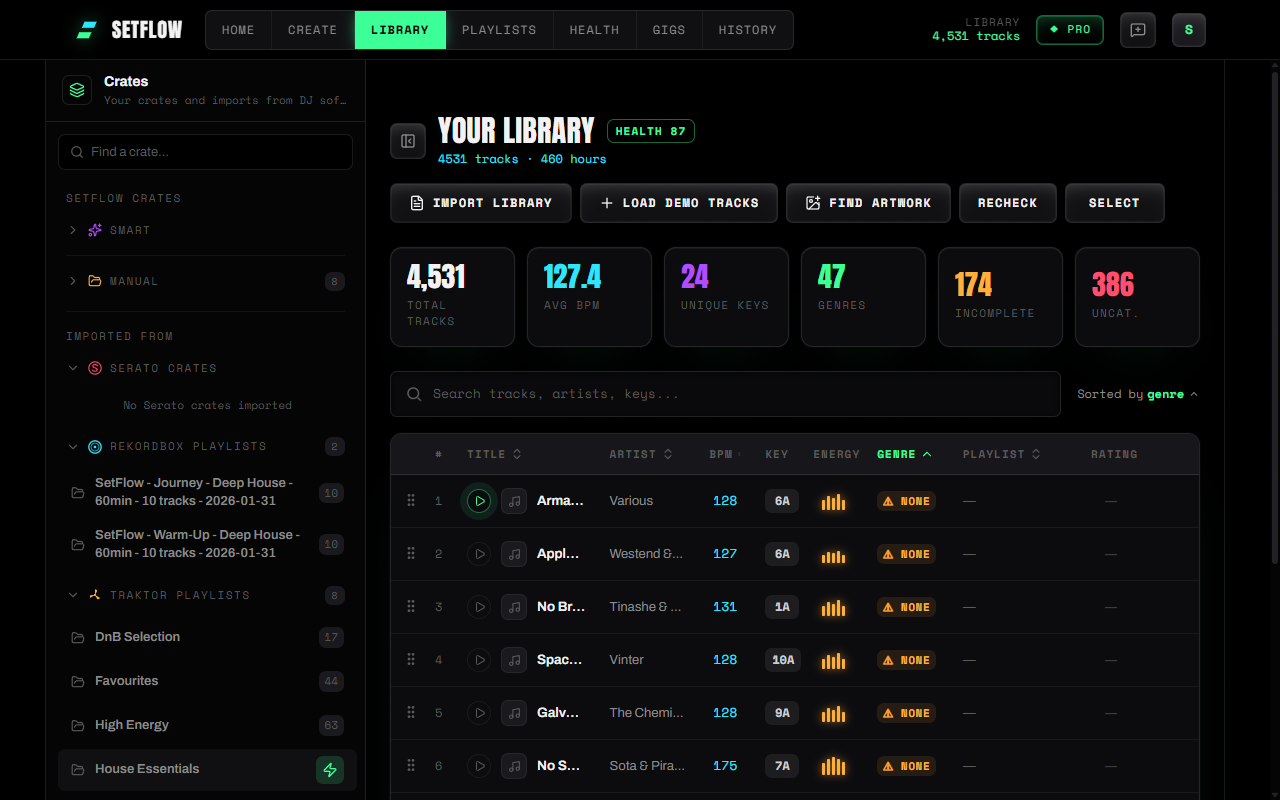
If you'd rather pick the tracks yourself, build the set from a crate — or straight from a playlist you imported from Rekordbox, Traktor or Serato. In Library, hover any crate or playlist and hit the lightning icon: SetFlow takes you to Create with just those tracks as your source, and any filters left over from your last set are cleared so nothing gets silently excluded. You can still layer the Added filter, genres and BPM on top. It's the quickest way to turn a hand-picked shortlist into a set that flows — and if you want to go the other way, build a crate from any set.
Turn the same filters into a crate
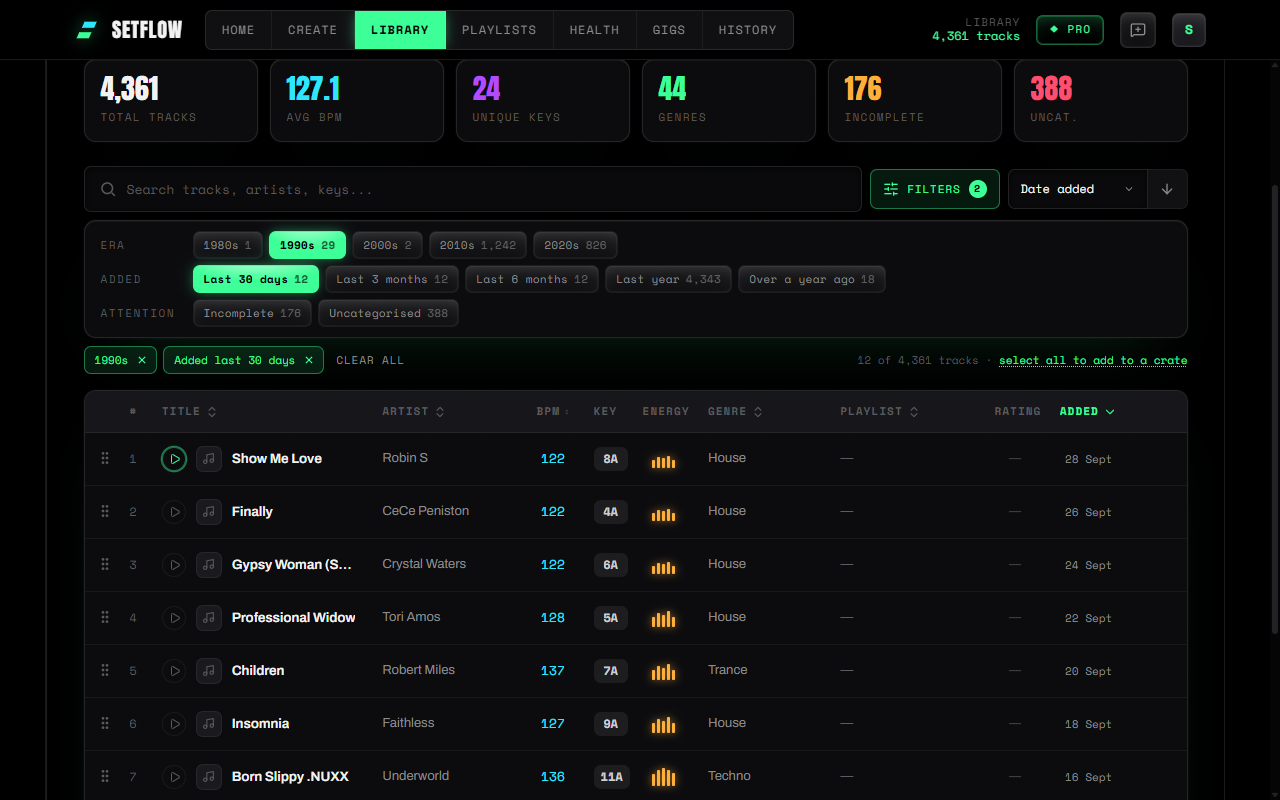
Sometimes you want the tracks themselves, not a set: every 90s track you've added this month, say, ready to drag into Rekordbox. In the Library, open Filters — the same Era and Added options as Create — and pick 1990s and Last 30 days. Hit select all to add to a crate, then add the lot to an existing crate or name a new one right there — and export it to your DJ software. You can sort by date added too, on desktop and on your phone.
On Pro, a smart crate can do it for you. Add an Added to your collection condition — and a decade from the new Era shortcuts — and the crate fills itself. Because “last 30 days” is counted back from today, the crate keeps rolling forward: new 90s finds appear in it as you import them, and last month's drop out.
Three sets worth trying
- The new-music hour — Last 3 months, one hour, Peak Time. A quick way to road-test this season's purchases together before a gig.
- The crate dig — Over a year ago, 90 minutes, Journey. A set from tracks you already own but haven't played lately.
- Old meets new — generate one set from each window, then use the per-track alternatives to swap a few back-catalogue tracks into the new-music set.
Ready to build better sets?
Import your Rekordbox, Traktor, or Serato library and generate perfectly mixed DJ sets in seconds.
Try SetFlow Free