How to Build a DJ Crate From Your Set and Export It to Rekordbox, Serato or Traktor
A planned set tells you what you intend to play. A crate gives you room to play what the night actually needs. SetFlow can now turn any set into a crate two to five times its size — your planned tracks plus the best-matching tracks from your library — and send it straight to Rekordbox, Serato or Traktor. Here's the whole flow, step by step.
Why take a crate instead of a tracklist?
Most working DJs don't walk into the booth with a fixed running order. They carry a curated pool of tracks that all work together, then read the room and pick. The planned set is the spine; the crate is everything within reach of it. The catch has always been building that crate by hand — another hour of prep, checking keys and tempos, after you've already planned the set.
SetFlow already knows your set's keys, BPM range, energy and genres, so it can build that pool for you: every extra track is scored for harmonic fit against the keys in your set, tempo (half-time readings included), energy and genre. Anything that wouldn't realistically mix with your set is left out.
Step 1: Plan your set
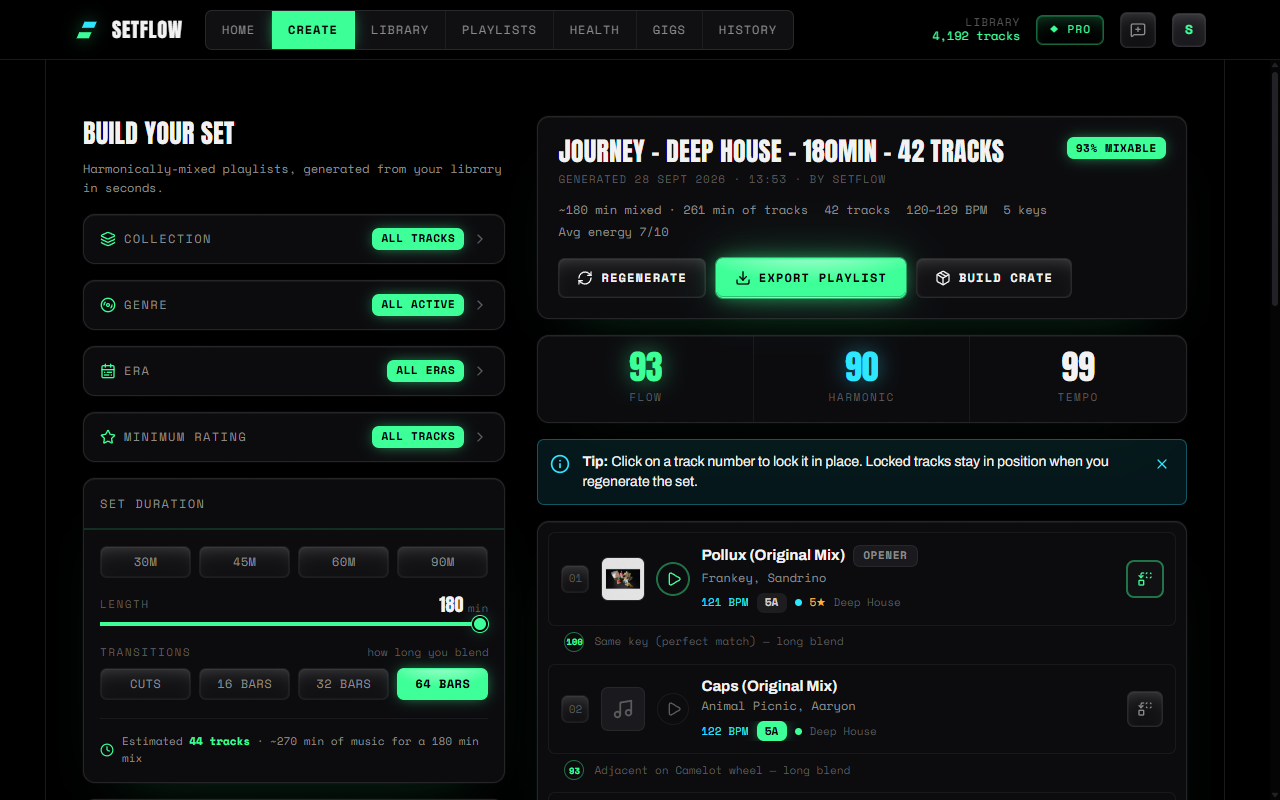
Start on Create and generate a set the way you normally would — pick your length, how long you blend, and the shape of the night. The set's track count follows its length and your transitions: the three-hour deep house set below came out at 42 tracks with 64-bar blends. Once it's generated, you'll see Build crate right next to Export playlist. (It's also on every saved set in History.)
Step 2: Pick a size and name your crate
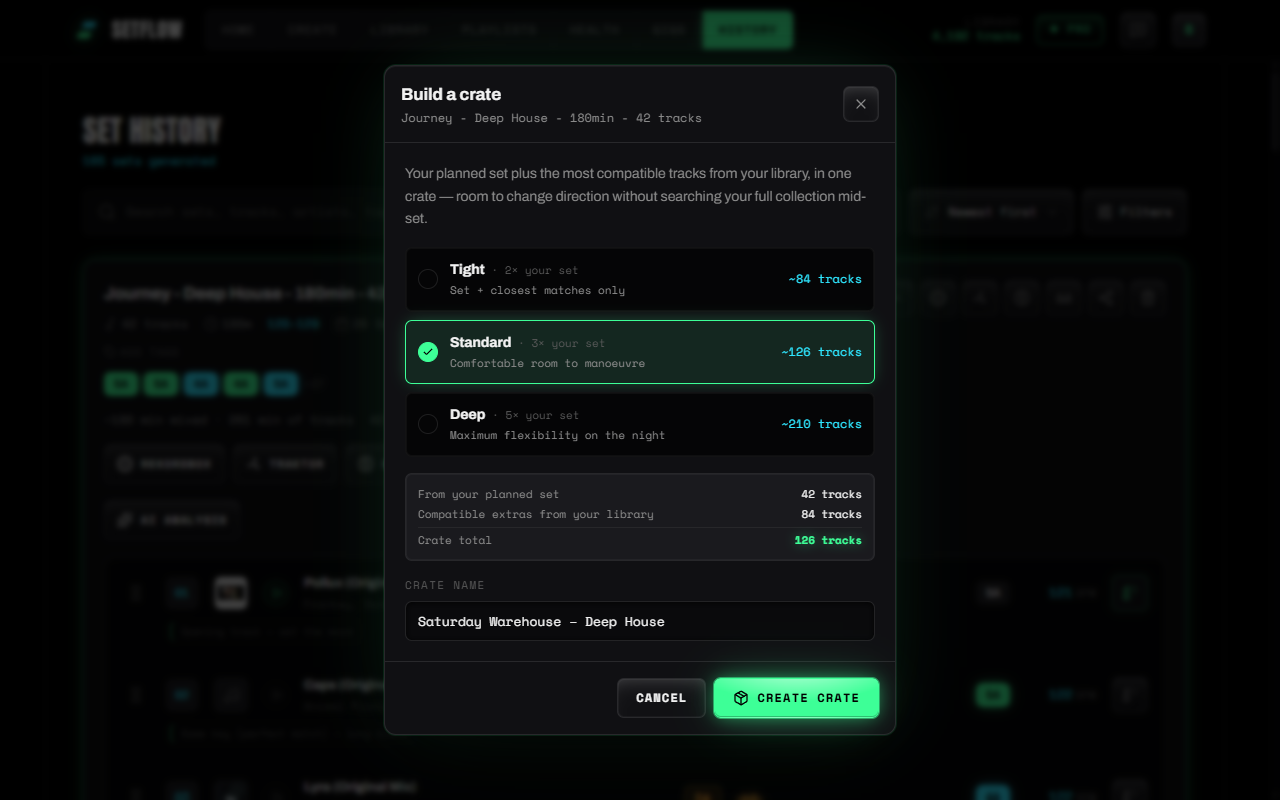
Build crate opens the crate builder. Choose how much room you want around your set:
- Tight · 2× your set — your set plus only the closest matches. A safety net, not a second library.
- Standard · 3× your set — comfortable room to change direction. The right default for most gigs.
- Deep · 5× your set — maximum flexibility, for long nights or rooms you don't know.
Sizes scale with your set, so the crate always fits the slot. The builder shows exact counts before you commit, and a breakdown of how many tracks come from your set versus your library. Give the crate a name you'll recognise in the booth — SetFlow suggests one, and makes sure it doesn't clash with a crate you already have.
If your library runs out of tracks that genuinely mix with the set, the builder says so rather than padding the crate with filler — a sign it's worth importing more in that style.
Step 3: Export it to your DJ software
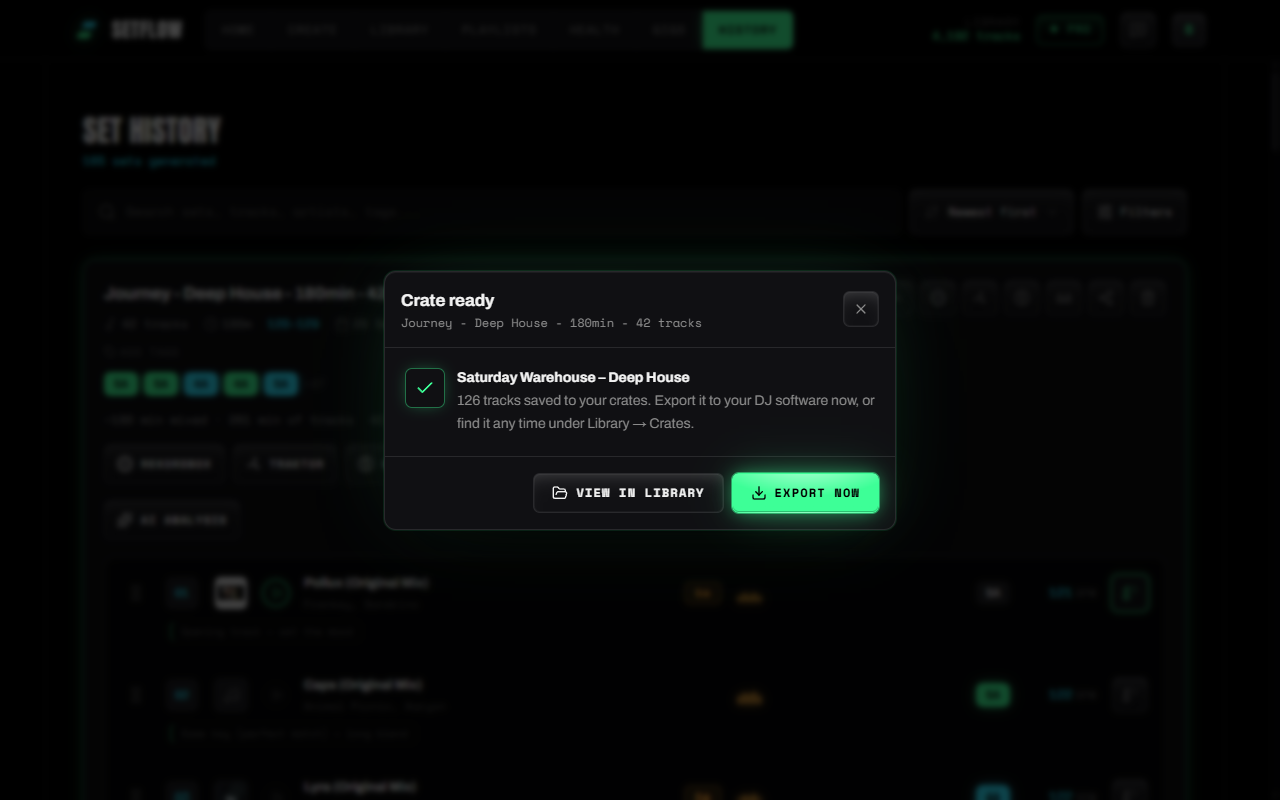
Hit Create crate and it's saved to your crates. From there you can go straight to Export now, or come back to it later from your Library.
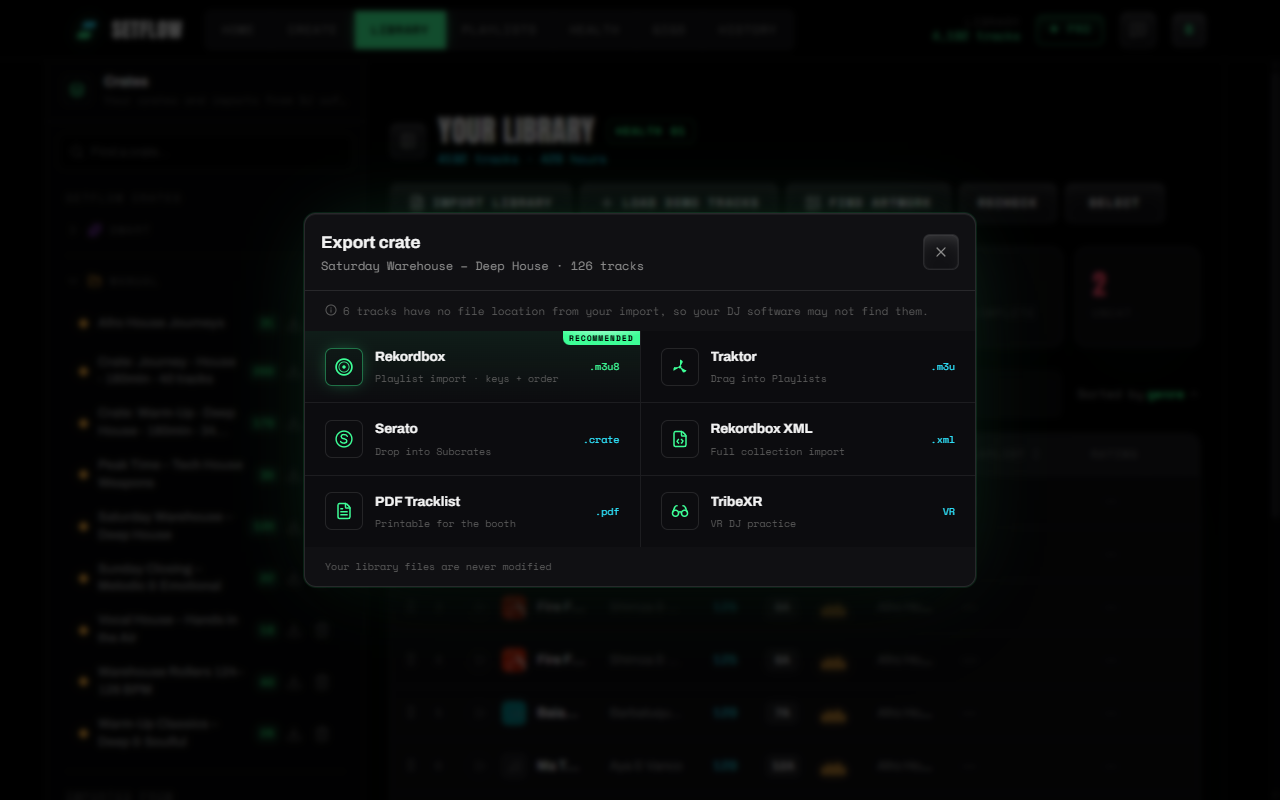
Crates export in the same six formats as sets, and SetFlow recommends the one that matches the software you imported from:
- Rekordbox (.m3u8) — import it as a playlist; tracks keep their order. Or use Rekordbox XML to bring it in through Rekordbox's XML view.
- Serato (.crate) — a native Serato crate. Close Serato, drop it into
_Serato_/Subcrates/, reopen, and it's in your sidebar. - Traktor (.m3u) — drag it into Traktor's Playlists.
- PDF tracklist — a printable list with BPM, key and energy for every track, for the booth.
- TribeXR — practise the crate in VR.
Your planned set comes first in the export, in running order, followed by the extras — best matches first. If you're playing off USB, our guide to exporting to USB for CDJs covers the rest.
Step 4: Find your crates again in the Library
Every crate lives in the Crates panel on your Library page. Long names wrap instead of getting cut off, so “Saturday Warehouse” and “Sunday Closing” never look the same. Click a crate and the Library shows just those tracks, with the crate's name at the top — and an export button right beside it, so you can send it to your decks again any time.
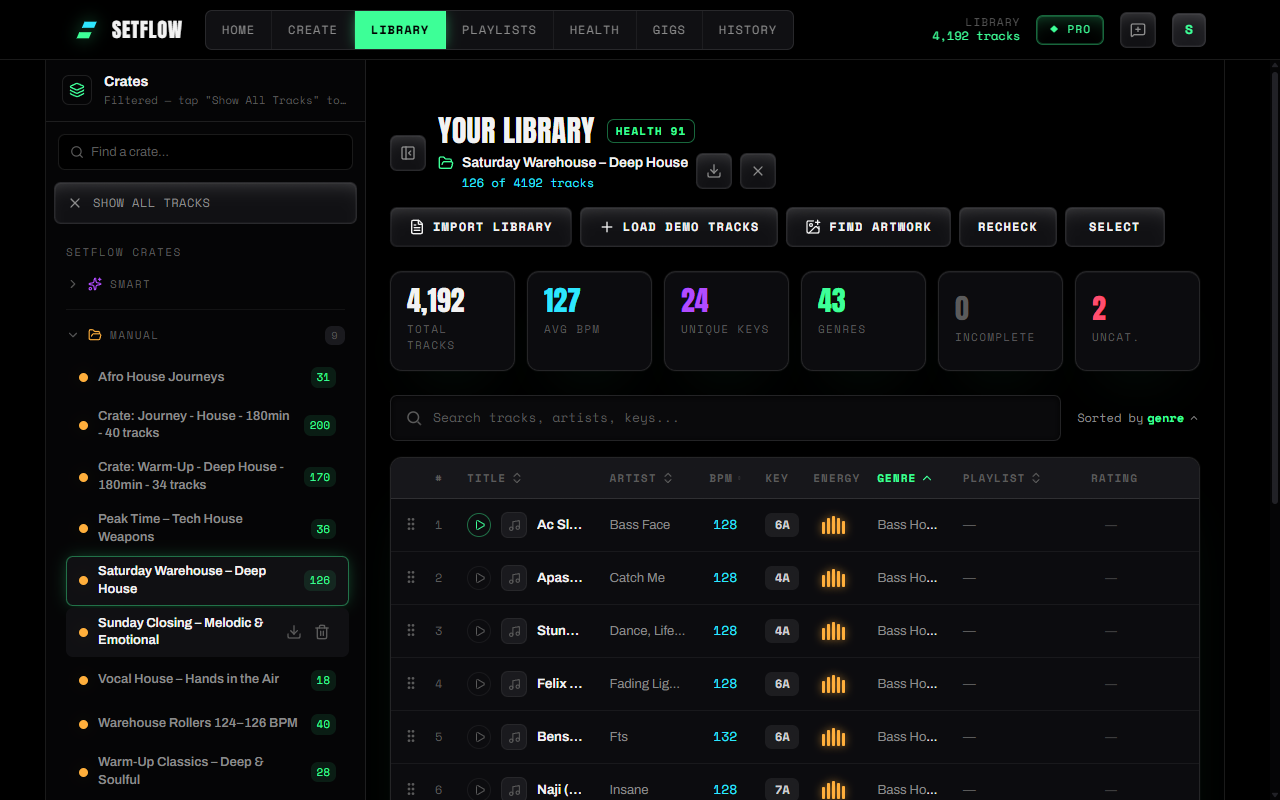
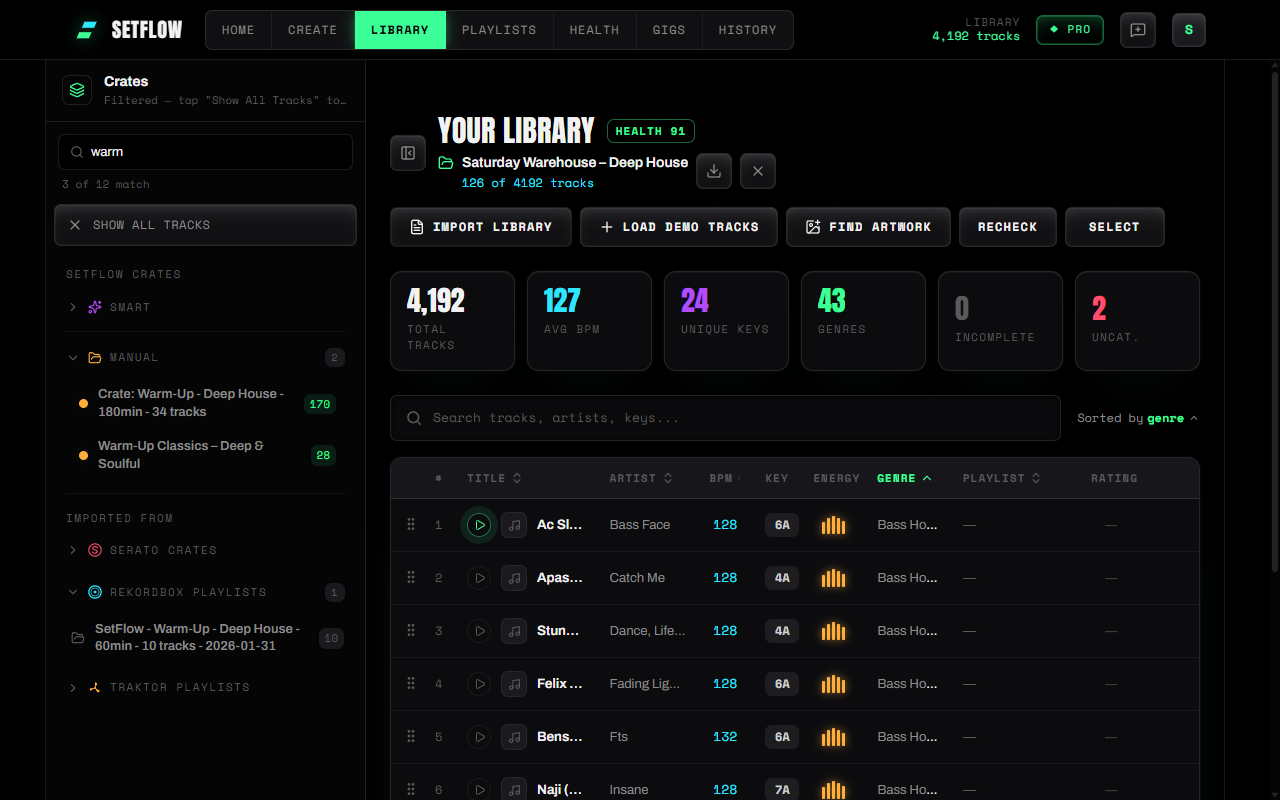
Once you've built up more than a handful of crates and imported playlists, a Find a crate box appears at the top of the panel. Type part of a name and it filters your SetFlow crates and your imported Rekordbox, Serato and Traktor playlists at once.
How big should a gig crate be?
A useful rule of thumb is two to three times the tracks you expect to play. Your set length and how many tracks fit in it set the baseline:
| Set | Tracks in the set | Tight | Standard | Deep |
|---|---|---|---|---|
| 30-minute warm-up | 5 | 15 | 25 | 35 |
| 1-hour set | 11 | 22 | 33 | 55 |
| 3-hour set, long blends | 42 | 84 | 126 | 210 |
Short sets always get at least 10, 20 or 30 extra tracks, so even a half-hour warm-up has somewhere to go. Crates top out at 300 tracks — past that you're back to scrolling a library, which is exactly what a crate is meant to avoid.
Where to find it
Build crate is on every set on Create and in History, and on any gig with a linked set in your gig calendar. Crates you build count as manual crates (three on trial, ten on Hobby, unlimited on Pro), and exporting a crate works on every plan that can export sets. For the thinking behind backup tracks — and the ranked alternatives SetFlow keeps for every slot in your set — see backup tracks for every DJ set.
Ready to build better sets?
Import your Rekordbox, Traktor, or Serato library and generate perfectly mixed DJ sets in seconds.
Try SetFlow Free