Backup Tracks for Every DJ Set: Slot Alternatives & Gig Crates
A planned set is a plan, not a promise. The room runs hotter than you expected, a track that killed last month falls flat, or the DJ before you plays half your openers. Two new SetFlow features are built for exactly that moment: every generated set now ships with ranked backup tracks for each slot, and one click builds a gig crate — your set plus the most compatible tracks in your library, sized so you never have to search 4,000 tracks with a dancefloor watching.
Every slot comes with a plan B
When SetFlow builds a set, it doesn't consider one track per position — it scores dozens of candidates for every slot and picks the best. Until now, the runners-up were thrown away. Now the top three are kept with the set: tap alternatives for this slot under any track and you'll see them, each with its Camelot key, BPM, and energy, ranked by how well they'd work in that exact position.
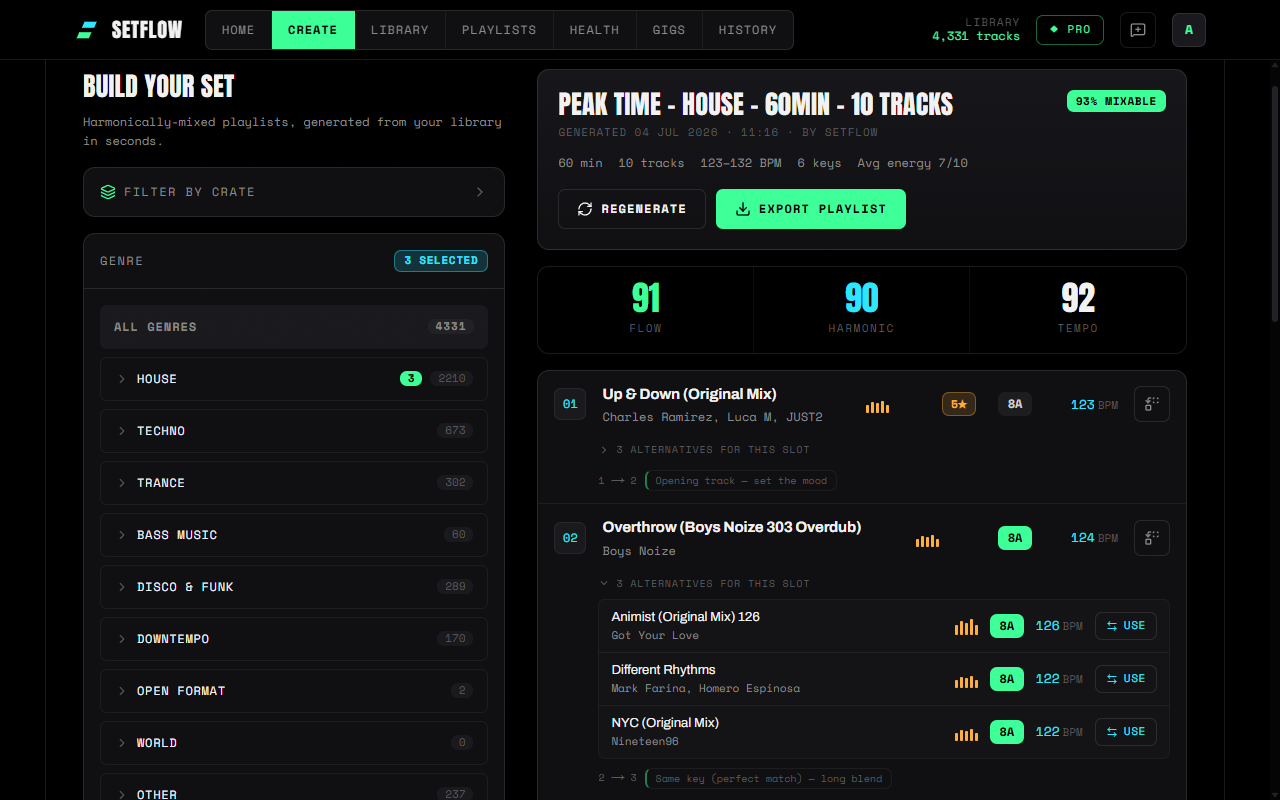
This is a different idea from a locked tracklist. Club DJs have always resisted pre-planned sets for a good reason: a rigid running order can't read the room. Alternatives turn your set from a script into a skeleton — the spine of the night is planned and harmonically graded, but every joint still flexes. You walk in with a set and the options, instead of choosing between preparation and instinct.
Scored for the slot, not just the song
These aren't generic “similar tracks”. Each alternative was scored by the same engine that built the set — harmonic compatibility on the Camelot wheel, tempo proximity, energy against the set's curve at that moment, and genre coherence — at the moment the slot was filled. An 8A / 123 BPM slot gets 8A-family candidates at matching tempo, not just tracks that share a genre tag.
Swaps are reversible, too. Use an alternative and the track it replaces joins the alternatives list for that slot, so you can flip back if you change your mind. Transition notes on both sides recalculate automatically, the change saves itself, and it all works the same on freshly generated sets and on saved sets in your History. If you want to go further than the shortlist, the Swap button still searches your whole library.
Gig crates: your whole night in one crate
Ask any working DJ how they survive club-standard hardware and huge libraries, and you'll hear the same workaround: build a small crate for each gig, so you're never scrolling thousands of tracks mid-set. It works — but hand-picking 40 or 50 compatible tracks is another hour of prep on top of planning the set itself.
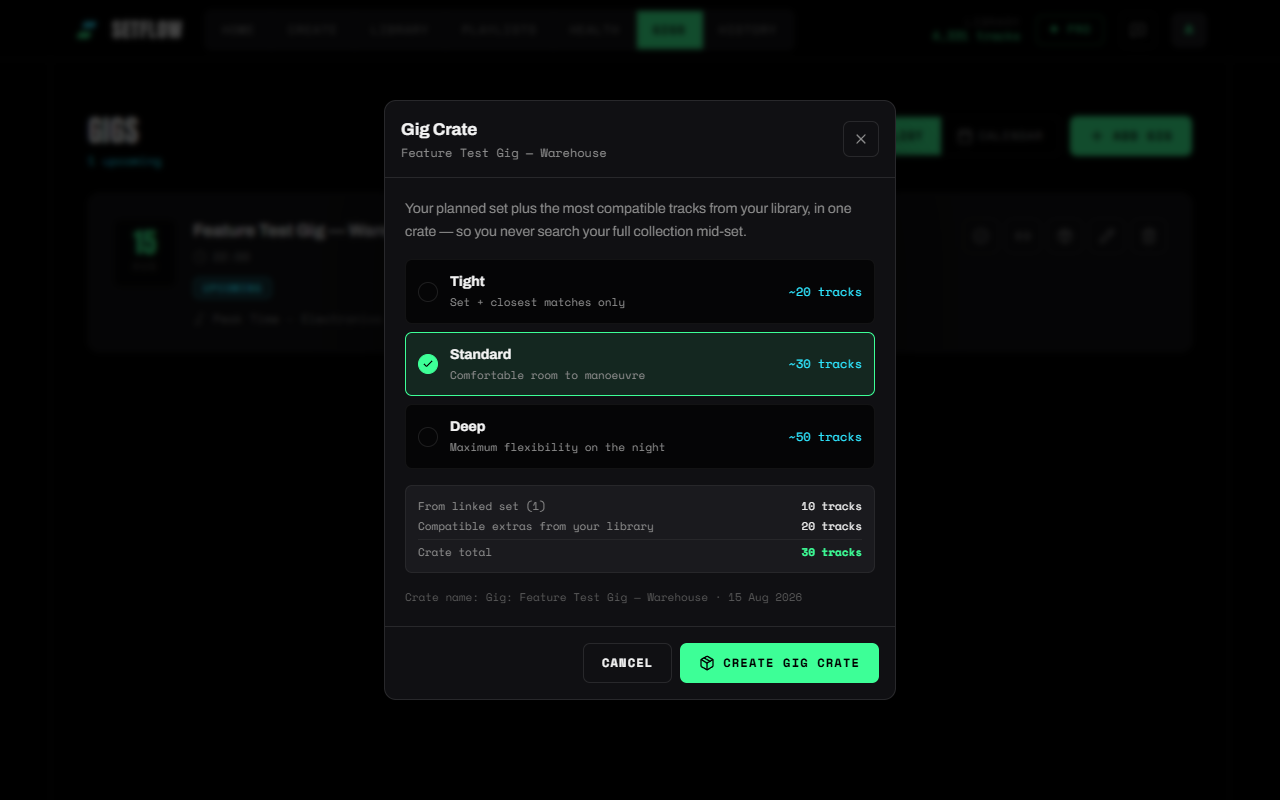
SetFlow now does it in one click. Hit Build crate on any set — on Create right after generating, or in History — or build one from a gig in your gig calendar: you get a crate containing your planned set, in order, padded with the most compatible tracks from the rest of your library — every extra scored on harmonic fit against the keys in your set, BPM (half-time detections included), energy range, and genre. Anything that wouldn't realistically mix with your set doesn't make the cut.
Tight, Standard, or Deep
Three sizes cover the way different DJs prep. Tight (about twice your set length) is the minimal safety net — your set and only the closest matches. Standard (three times) gives you comfortable room to manoeuvre. Deep (five times) is maximum flexibility for the nights you expect to go off-script entirely. The dialog shows the exact track counts before you commit, and the crate is named after the gig and its date, so it's easy to find in the booth.
Generate from your gig crate
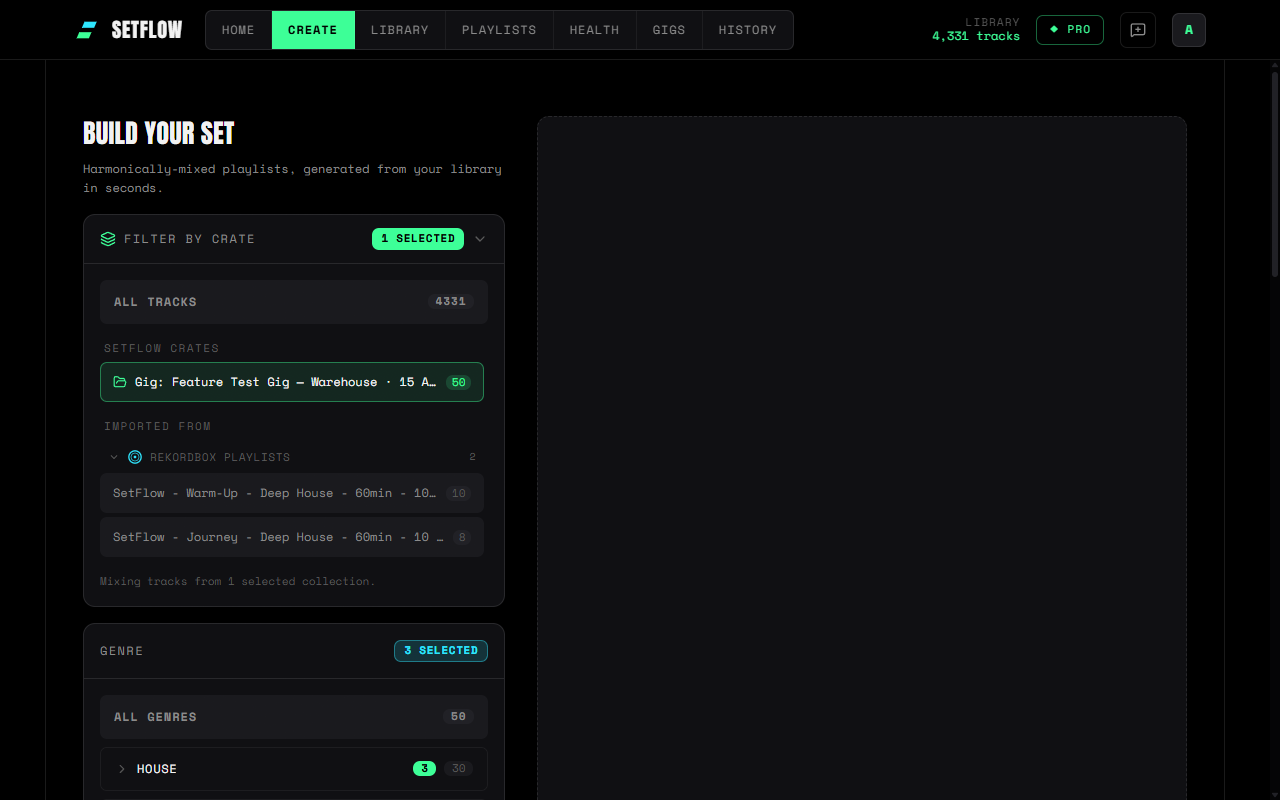
Because a gig crate is a normal SetFlow crate, it plugs into everything crates already do. The one we like most: select it under Filter by crate on the Create page and generate a fresh set from just those tracks — a tighter, second look at the same night. And when you're done, export the crate or the set straight to your decks — Rekordbox, Serato, Traktor, or a printable PDF for the booth.
Where to find it, and what it costs
Slot alternatives are on every plan, on every newly generated set, on desktop and mobile — the scoring is pure harmonic maths, so there's nothing to pay and nothing to switch on. Build crate sits on every set on Create and in History (no gig needed), and on any gig with a linked set on the Gigs page. The crate it creates counts as one of your manual crates (three on trial, ten on Hobby, unlimited on Pro), and you can export it straight away — or later, from the download icon beside it in Library.
Together with the Swap control and the gig calendar, this closes the loop on set preparation: plan the set, carry the backups, and walk into the booth with the whole night in one crate.
Get the Camelot cheat sheet
A one-page printable of all 24 keys, compatible moves, and energy jumps — handy next to the decks.
One email with your download. No newsletter, no spam.
Ready to build better sets?
Import your Rekordbox, Traktor, or Serato library and generate perfectly mixed DJ sets in seconds.
Try SetFlow Free