Harmonic Mixing: How DJs Mix in Key (Camelot Made Simple)
Harmonic mixing is the technique of blending tracks whose musical keys are compatible, so transitions sound smooth instead of clashing. It's the single most impactful factor in creating professional-sounding DJ sets — and thanks to the Camelot wheel, you don't need a music theory degree to do it. (Just want the wheel itself? Open the free interactive Camelot wheel — this guide covers the theory behind it.)
What is Harmonic Mixing?
Every piece of music is written in a key — a set of notes that sound good together. When two tracks share the same key or are in compatible keys, their melodies and basslines blend naturally during a transition. When they're in clashing keys, you get that jarring, out-of-tune sound that makes dancers wince and can clear a dancefloor faster than a fire alarm.
Harmonic mixing is simply the practice of choosing your next track based on key compatibility. It doesn't mean every transition has to be in the same key — just that you're aware of how keys interact and making deliberate choices rather than leaving it to chance.
Music Keys Explained (Without the Theory Degree)
In Western music, there are 12 notes. Each note can be the starting point of either a major key (which tends to sound bright, uplifting, and happy) or a minor key (which tends to sound darker, moodier, and more emotional). That gives us 24 possible keys total.
The relationship between keys follows patterns. Some keys share almost all the same notes and blend seamlessly. Others share very few notes and create dissonance when played together. Music theory maps all of these relationships, but as a DJ you don't need to memorize any of it — that's exactly what the Camelot wheel was designed to solve.
The Camelot Wheel Explained
The Camelot wheel is a visual tool that maps all 24 musical keys into a simple numbered system. It was created by Mark Davis at Mixed In Key to make harmonic mixing accessible to DJs who don't read music.
The wheel has 12 positions (like a clock), each with two variants:
- A (inner ring) — Minor keys (darker, moodier sound)
- B (outer ring) — Major keys (brighter, uplifting sound)
So 8A is A minor and 8B is C major. The beauty of the system is that compatible keys are always next to each other — either adjacent numbers on the same ring, or the same number on the opposite ring.
Prefer to explore it live? Open the free interactive Camelot wheel tool — tap any key and it lights up every compatible move, and a two-key checker scores any pair of keys for you.
Looking Up a Camelot Code?
Reading a code is simple: the number is the position on the wheel, the letter is the ring — so 8A is A minor, with 8B (C major) sitting right outside it as its relative major. For the full 1A–12B conversion chart, including the enharmonic spellings different software uses, head to the interactive Camelot wheel tool. Every code also has its own page covering exactly what mixes with it — pick yours:
The 4 Safe Mixing Moves
The Camelot wheel makes harmonic mixing as simple as following four rules. If your current track is in 8A, here are your safe options:
1. Same Key (8A → 8A)
Staying in the same key is always 100% compatible. Melodies, basslines, and vocals will blend perfectly. This is the safest possible transition — but using it exclusively can make your set sound monotonous over time.
2. Adjacent Number (8A → 7A or 9A)
Moving ±1 on the wheel changes only one note in the scale. The shift is subtle enough that most listeners won't consciously notice the key change, but it keeps your set moving forward harmonically. This is the most commonly used move in professional DJ sets.
3. Major/Minor Switch (8A → 8B)
Jumping between A (minor) and B (major) at the same number changes the mood without changing the harmonic center. Going from minor to major lifts the energy and brightens the feel. Going from major to minor does the opposite — it pulls the set into a darker, more driving space. It's a powerful tool for shaping energy flow in your set.
4. Energy Boost (8A → 10A)
Jumping +2 on the wheel creates a more noticeable key shift that can inject energy into a set. This move works well at peak moments or when you need to break out of a harmonic rut. Use it sparingly — jumping more than +2 starts to risk audible clashes.
The Camelot Wheel Rules
Those four moves are the whole rulebook. Whatever key you're in, apply them and every option on the table is a safe mix — anything further than two steps around the wheel (or a diagonal jump that changes both number and letter by more than one) risks an audible clash. Here it is as a cheat sheet:
Quick Reference: Safe Moves from Any Key
- ✓Same key — Always compatible (e.g., 8A → 8A)
- ✓±1 number — Subtle shift, very smooth (e.g., 8A → 7A or 9A)
- ✓Same number, flip letter — Mood change (e.g., 8A → 8B)
- ✓+2 numbers — Energy boost, use sparingly (e.g., 8A → 10A)

How to Find Your Tracks' Keys
Before you can mix harmonically, you need to know what key each track is in. There are several ways to get this data:
- Rekordbox auto-analysis — Built-in key detection that runs alongside BPM analysis. Accuracy is generally good, though it can struggle with tracks that modulate between keys. Rekordbox displays keys in both standard notation (Am, C) and Camelot notation.
- Mixed In Key — Dedicated key analysis software with higher accuracy than most built-in analyzers. Writes Camelot codes directly to file tags.
- Beatport / Traxsource — Online stores display the key of each track on its listing page, analyzed at the mastering stage.
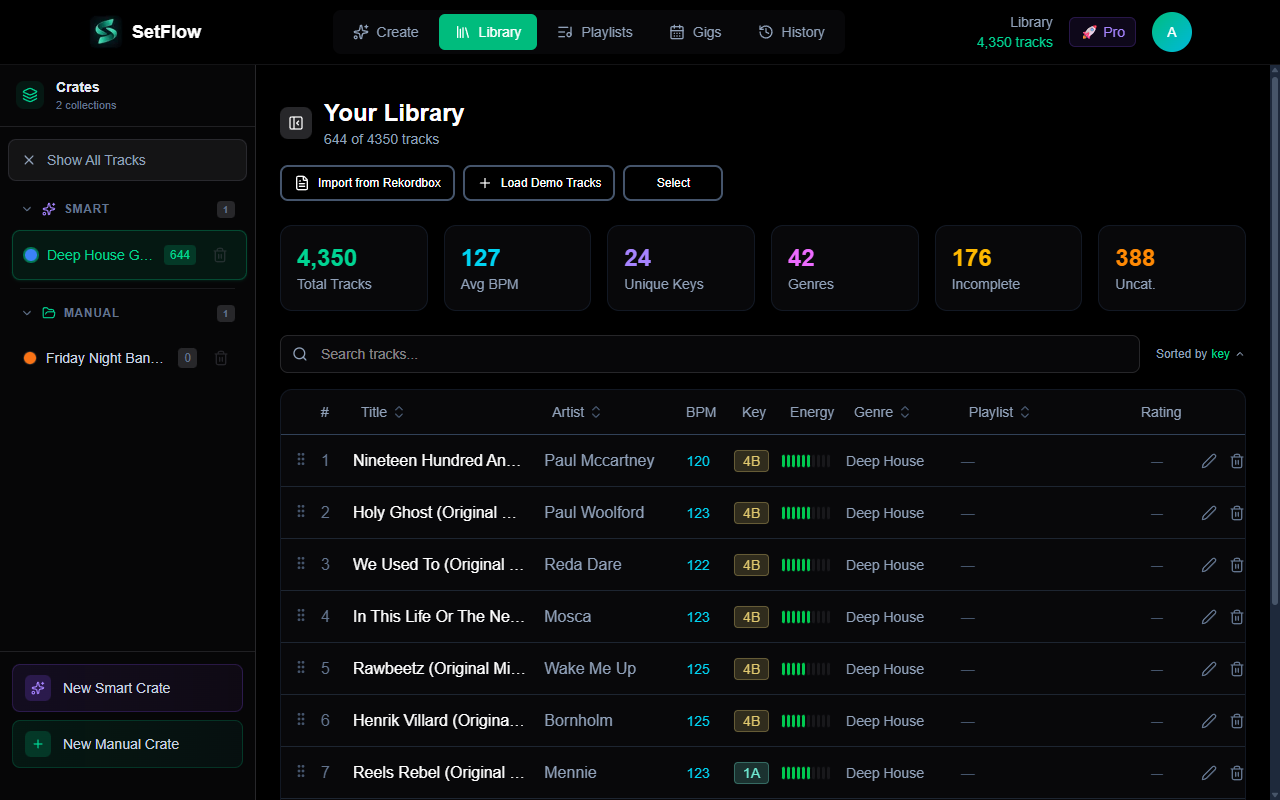
Whichever method you use, make sure key data is present in your Rekordbox library tags before importing into SetFlow. Key analysis feeds the harmonic compatibility score, which carries the highest weight (35%) in transition scoring.
Common Harmonic Mixing Mistakes
Even DJs who understand the Camelot wheel can fall into these traps:
- Ignoring key entirely — Relying purely on BPM matching and “ear feel” works sometimes, but leaves smooth transitions to chance. Even one clashing transition per set is noticeable to the audience.
- Only mixing in the same key — Playing 8A → 8A → 8A for 90 minutes is technically harmonically compatible, but it creates a flat, repetitive feel. Use adjacent moves and mood switches to keep things interesting.
- Prioritizing key over everything else — A harmonically perfect transition with a 20 BPM jump sounds worse than a minor key clash at the same tempo. Key compatibility is important, but it's one factor among several — BPM, energy flow, and genre all matter too.
- Not verifying key data — Auto-analysis isn't perfect. Tracks with key modulations, long ambient intros, or unusual harmonics can be misidentified. If a transition sounds off despite matching Camelot codes, the key data might be wrong.
Beyond the Wheel: When to Break the Rules
The Camelot wheel is a guideline, not a law. There are situations where breaking harmonic rules is the right call:
- Genre transitions — Switching between genres (e.g., deep house to techno) often involves key jumps. The genre shift itself creates enough sonic contrast that a key clash is less noticeable.
- Dramatic moments — A deliberate key clash can create tension and impact when used intentionally at a peak moment. Think of it like a musical plot twist.
- Percussion-only mixing — If your transition happens during drum-only sections of both tracks (no melodies or basslines playing), key compatibility doesn't matter because there's nothing harmonic to clash.
- Short blends — A quick cut or swap is less affected by key clashes than a long, layered blend. If you're mixing in 8 bars rather than 32, you have more freedom with key choices.
The best DJs understand the rules well enough to know when breaking them serves the set. But that judgement comes from practicing harmonic mixing first — learn the system, use it consistently, and you'll develop an intuition for when to deviate.
Worked Example: A Harmonic Run
Theory clicks once you see it move. Say you open in 8A (A minor) at 124 BPM. Here's one smooth, deliberate run using nothing but the four safe moves:
- 8A → 8A — settle in with a same-key blend and lock the groove.
- 8A → 9A — step +1 for a near-invisible lift that keeps moving forward.
- 9A → 9B — flip minor to major to brighten the room without leaving the harmonic centre.
- 9B → 11B — a +2 jump that injects energy into the first real peak.
- 11B → 11A — drop back to minor to add drive and set up the next build.
Notice that no single move travels more than two steps on the wheel, and every transition has a reason behind it — that's the whole game. Build a few runs like this by hand and the wheel stops being a chart you consult and becomes something you feel. Or let SetFlow generate the run for you and study the Camelot codes it picked.
How SetFlow Automates Harmonic Mixing
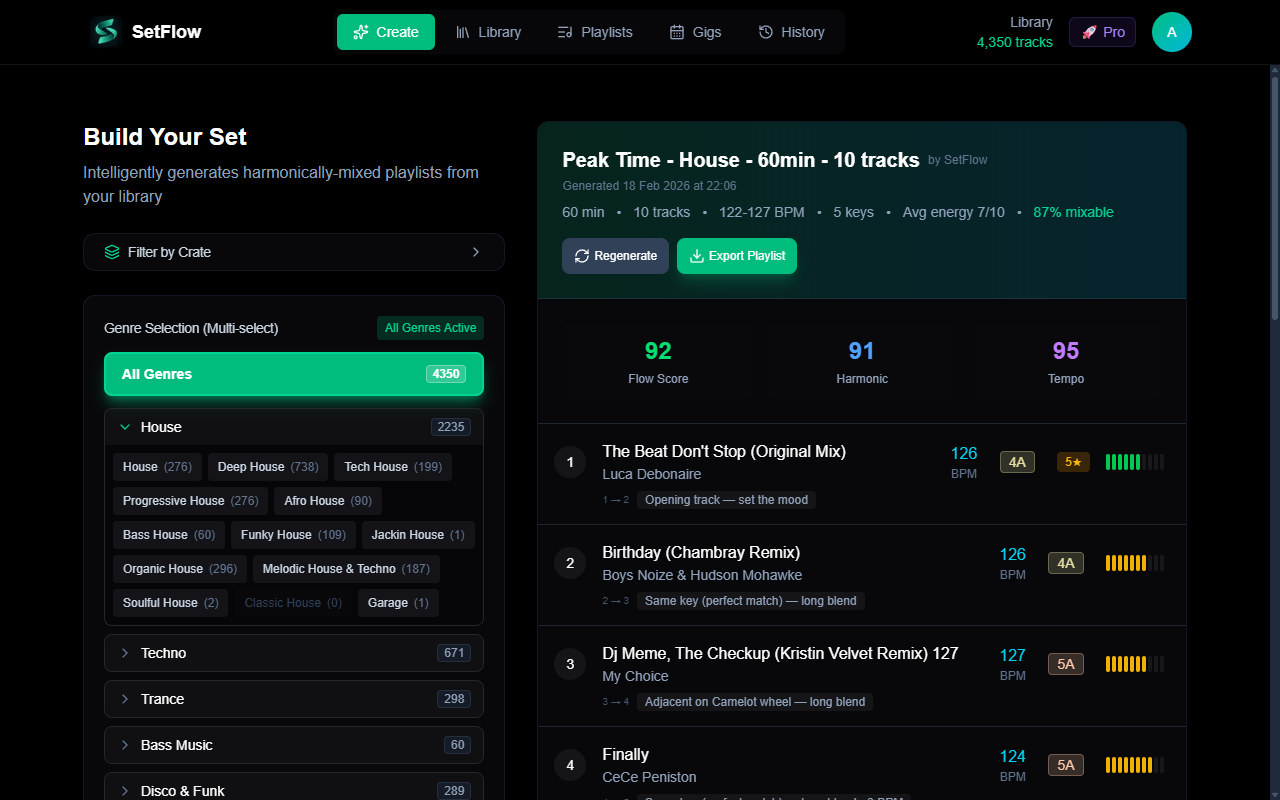
SetFlow's set generation algorithm uses the Camelot wheel as its highest-weighted scoring factor. Every potential transition between two tracks is evaluated for harmonic compatibility, which accounts for 35% of the total transition score.
The scoring works on a gradient: same-key transitions score highest, adjacent keys (±1 on the wheel) and relative major/minor switches score nearly as well, and compatibility decreases as the distance on the wheel increases. This means every generated set follows harmonic mixing principles automatically — no manual Camelot code checking required.
Combined with BPM matching (25%), energy flow shaping (15%), and genre compatibility (15%), SetFlow evaluates thousands of possible track orderings to find the sequence that sounds best. Your job is to tag your tracks well — SetFlow handles the rest. For the whole workflow end to end, see our guide to building a harmonically mixed DJ set.
Want to know whether your library has the harmonic coverage to mix smoothly? SetFlow's Library Health dashboard maps your whole collection onto this same wheel and flags any key where you have tracks but nothing compatible to mix into — so you know where your coverage is thin before a gig, not during one.
Frequently Asked Questions
How do you use the Camelot wheel?
Find the Camelot code of the track you are playing (your DJ software shows it, e.g. 8A), then pick your next track from the compatible positions: the same code, one number up or down on the same ring, the same number on the other ring, or two numbers up for an energy lift. Repeat for every transition and the whole set stays in key.
What is the Camelot wheel?
The Camelot wheel maps all 24 musical keys onto a simple clock of numbers (1–12) plus a letter — A for minor keys, B for major. It lets DJs mix in key without reading music: keys next to each other on the wheel are harmonically compatible.
Which keys mix well together?
From any key, four moves are safe: the same key, one step up or down the wheel (8A to 7A or 9A), the same number on the opposite letter (8A to 8B, a minor/major mood switch), and a +2 jump (8A to 10A) for an energy lift. Larger jumps risk audible clashes.
Can you mix major and minor keys together?
Yes — switching between the A (minor) and B (major) variant of the same Camelot number, like 8A to 8B, is one of the four safe moves. It shifts the mood from darker to brighter without breaking compatibility, because both keys share the same harmonic centre.
Do I have to mix harmonically?
No — harmonic mixing is a guideline, not a rule. It is the most reliable way to get smooth transitions, but genre changes, percussion-only blends, and quick cuts all give you room to break it deliberately. Learn the system first, then bend it on purpose.
What does 8A mean?
8A is the Camelot code for A minor. The number (8) is its position on the wheel and the letter A means it is a minor key; 8B is C major, its relative major. Tracks labelled 8A all share the same key and blend perfectly.
How do I find the key of my tracks?
Run key analysis in Rekordbox, Serato, or Traktor, or use dedicated software like Mixed In Key; stores like Beatport also list each track’s key. Make sure key data is tagged before importing into SetFlow, since harmonic compatibility is the highest-weighted factor (35%) in its transition scoring.
Get the Camelot cheat sheet
A one-page printable of all 24 keys, compatible moves, and energy jumps — handy next to the decks.
One email with your download. No newsletter, no spam.
Ready to build better sets?
Import your Rekordbox, Traktor, or Serato library and generate perfectly mixed DJ sets in seconds.
Try SetFlow Free