Rekordbox Tags: The Complete Guide to Tagging Tracks (2026)
Your track tags are the fuel that powers SetFlow's set generation algorithm. The better your Rekordbox library is organized, the more accurate your generated sets will be. This guide walks you through exactly what to tag, how to tag it, and why each field matters.
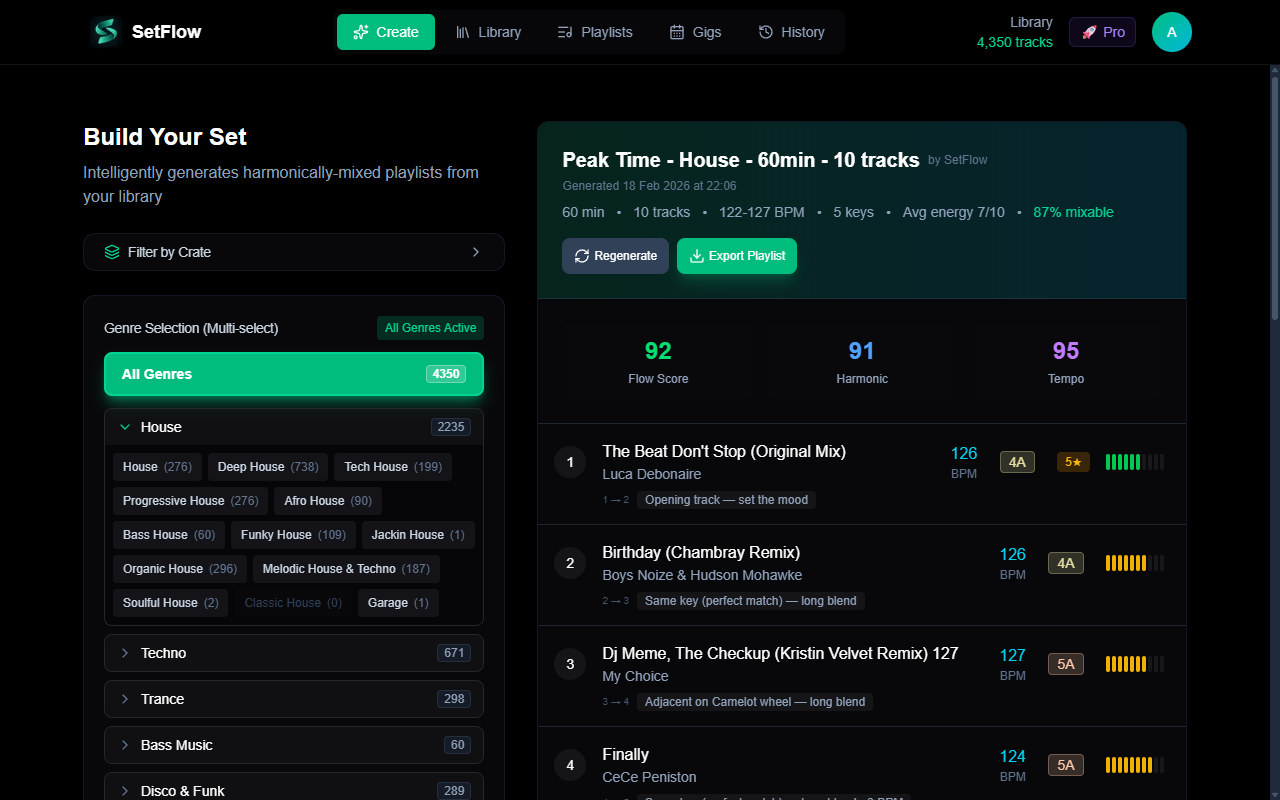
How SetFlow Scores Transitions
Before diving into tagging, it helps to understand what SetFlow actually looks at. Every potential transition between two tracks is scored across multiple dimensions:
- Harmonic compatibility (35%) — Analyzed using the Camelot wheel. Same key scores highest, adjacent keys (±1 on the wheel) and relative major/minor transitions score nearly as well.
- BPM matching (25%) — “Perfect” if the BPM difference is ≤2%, “good” if ≤4%, acceptable up to 8%. Beyond that, transitions get penalized.
- Energy flow (15%) — Tracks are matched to the target energy curve for your chosen profile (Journey, Peak Time, Warm-Up, etc.). Since Rekordbox has no native energy field, SetFlow derives energy from BPM and genre metadata.
- Genre compatibility (15%) — Same genre family scores highest. Cross-family mixing is scored based on real-world DJ practices.
- Rating bonus — Higher-rated tracks get priority for the opening position of your set.
Every tag you set in Rekordbox directly influences one or more of these scoring dimensions. Let's go through each one.
Step-by-Step Rekordbox Tagging Guide
1. Analyze BPM
BPM is the backbone of any DJ set. Rekordbox's auto-analysis handles most tracks well, but it's worth spot-checking:
- Select all tracks in your collection
- Right-click → Analyze Track
- After analysis, sort by BPM and look for outliers
- Manually correct any tracks where the BPM is clearly wrong (e.g., a house track showing 65 BPM is likely detected at half-speed — double it to 130)
Pro tip: Rekordbox sometimes detects BPM at half or double the actual tempo. A drum & bass track at 87 BPM is probably 174. A techno track at 260 is probably 130. Always sanity-check.
2. Analyze Key
Key analysis enables harmonic mixing — the single most impactful factor in SetFlow's scoring (35% weight). Rekordbox displays keys in both standard notation (Am, C, F#m) and Camelot notation (8A, 8B, 2A).
A quick Camelot reference:
SetFlow understands both notation systems and converts between them automatically. You don't need to change anything in Rekordbox — just make sure key analysis has been run on all your tracks.
3. Set Genre
Genre is used for both the 15% genre compatibility score and to help derive energy levels. SetFlow normalizes whatever genre string you use in Rekordbox to its internal genre system. Here are the most common mappings:
SetFlow recognizes over 150 genre variations and maps them automatically. If you use a genre string that isn't recognized, the track still works — it just won't benefit from genre-based scoring.
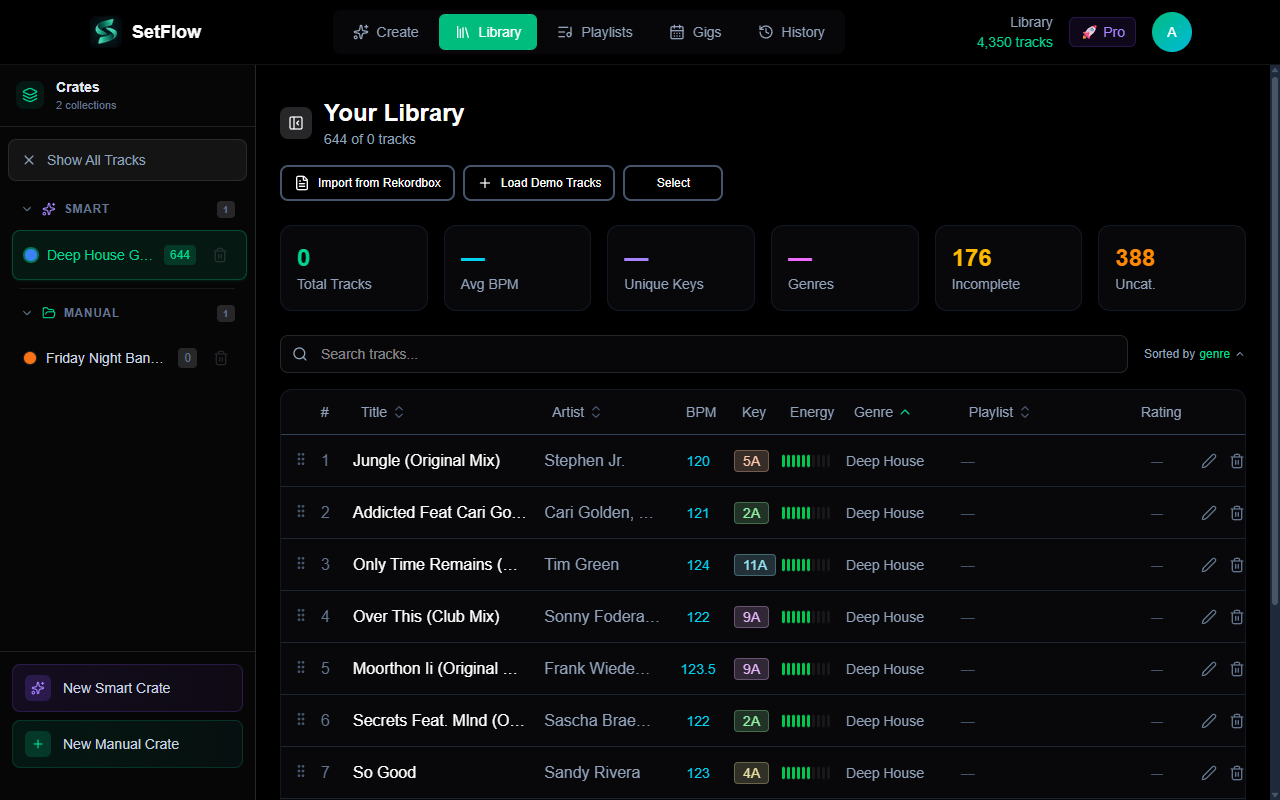
Already sitting on a pile of messy or missing genres — or “Unknown Artist” imports? Rather than fixing them by hand, SetFlow can fix your genres and artists for you inside Library Health.
4. Rate Your Tracks
Rekordbox supports 1–5 star ratings. SetFlow uses these ratings to influence which track gets selected as the opening track of your set. Higher-rated tracks are more likely to be chosen as starters.
A simple rating system that works well:
- 5 stars — Absolute bangers, guaranteed crowd reaction
- 4 stars — Strong tracks, reliable in any set
- 3 stars — Good supporting tracks
- 2 stars — Situational, good for specific vibes
- 1 star — Needs more testing / unsure about
5. Use the Comments Field
Rekordbox's Comments field is parsed by SetFlow for energy hints. Keywords like high energy, opener, peak,chill, and build help the algorithm understand track characteristics beyond what BPM and genre alone can tell it.
6. Add MyTags
Rekordbox MyTags are preserved when you import into SetFlow. While they don't directly affect set generation scoring, they're invaluable for Smart Crate filtering (Pro feature). You can create dynamic crates that auto-populate based on tags like “festival”, “warm-up”, or “after-hours”.
Not sure where to start? Copy this starter MyTag list into Rekordbox (Preferences → Advanced → Browse → MyTag) — four categories, each with a handful of tags, covers 90% of real-world set prep:
ENERGY      Warm-up | Build | Peak | Cooldown
MOOD        Dark | Uplifting | Melodic | Raw
SITUATION   Opener | Closer | Festival | Club | After-hours
COMPONENTS  Vocal | Instrumental | Big drop | Long intro
Keep it small and consistent — a dozen well-used tags beats fifty you never apply. Tag as you buy, not in marathon sessions.
Exporting for SetFlow
Once your library is tagged, export it from Rekordbox:
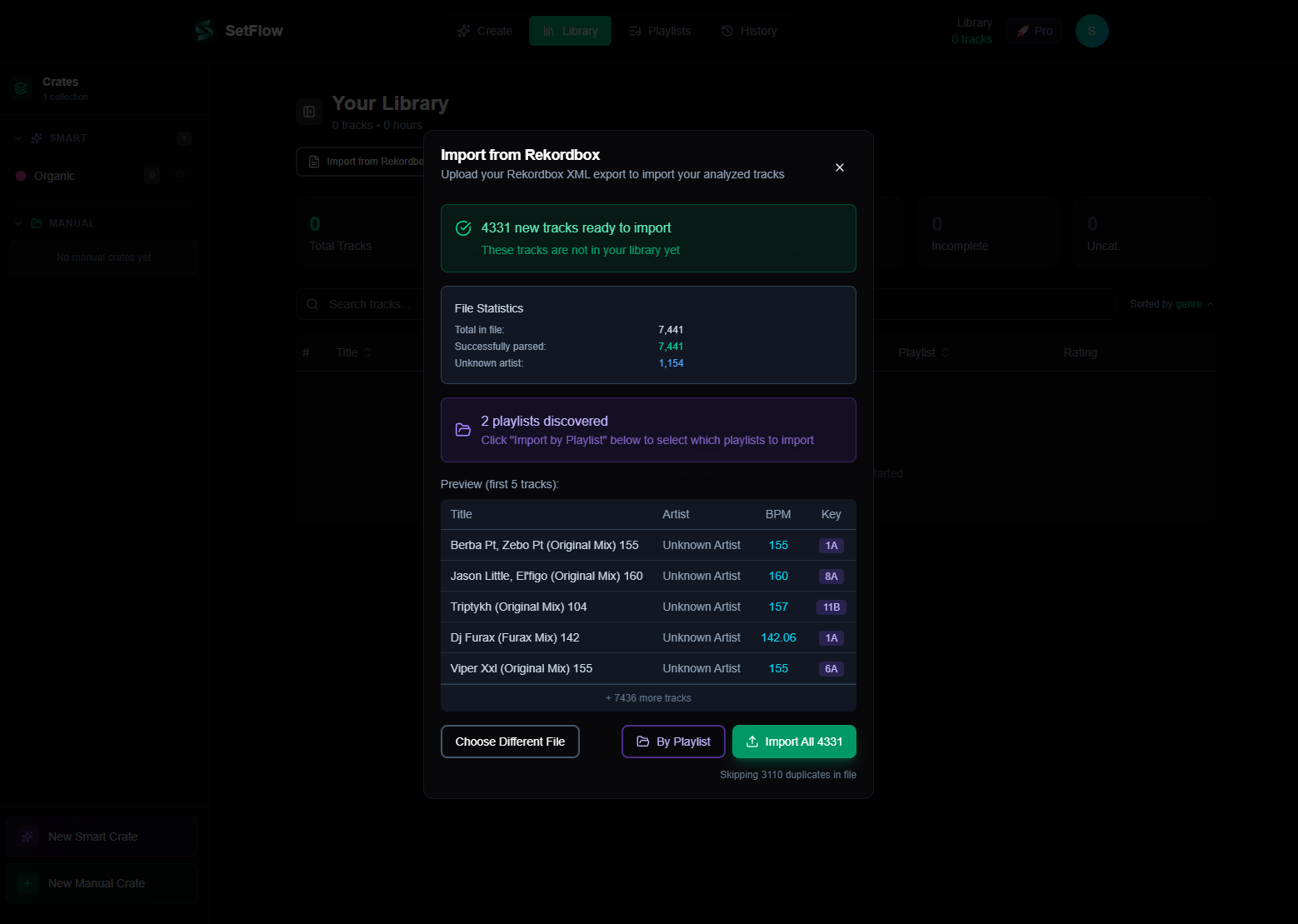
- In Rekordbox, go to File → Export Collection in xml format
- Save the XML file somewhere accessible
- In SetFlow, go to Library → Import from Rekordbox
- Select your XML file and import
During import, SetFlow reads every field we've discussed: BPM, key, genre, rating, comments, and MyTags. It normalizes genres, converts keys to Camelot notation if needed, and derives energy levels. Your tracks are ready for set generation immediately.
Quick Reference Checklist
Before You Export
- ✓BPM analyzed — Run auto-analysis, spot-check for half/double speed errors
- ✓Key analyzed — Enables harmonic mixing (35% of transition score)
- ✓Genre set — Powers genre matching (15%) and energy derivation
- ✓Tracks rated — Influences start track selection
- ✓Comments added — Energy hints like “peak” or “opener”
- ✓MyTags added — Useful for Smart Crate filtering (Pro)
That's it! A well-tagged library is the difference between generic playlists and professionally-flowing DJ sets. Take an hour to clean up your tags, export it to SetFlow, and hear the difference in your next generated set.
Not sure where your tags stand? After importing, SetFlow's Library Health dashboard scores your library on exactly the fields above — genre, key and duplicates — and ranks the highest-impact fixes, so you spend your hour on what actually improves your sets.
Tagging is step one. Once your library is clean, our guide to building a harmonically mixed DJ set walks the whole workflow from import to export.
Frequently Asked Questions
How do I tag tracks in Rekordbox?
Select your tracks, right-click and choose Analyze Track to set BPM and key automatically, then add a genre, a 1–5 star rating, and notes in the Comments field. Run analysis on everything before exporting your collection as XML for SetFlow.
Does Rekordbox detect the key automatically?
Yes — Rekordbox analysis detects musical key alongside BPM and displays it in both standard (Am, C) and Camelot (8A, 8B) notation. Accuracy is generally good, but it can struggle with tracks that modulate, so spot-check anything that sounds off.
Why is the BPM wrong in Rekordbox?
Rekordbox sometimes locks onto half or double the real tempo — a drum & bass track may show 87 instead of 174, or a techno track 260 instead of 130. Sort by BPM, look for outliers, and correct them manually so your transitions stay in tempo.
Which Rekordbox fields does SetFlow use?
SetFlow reads BPM, key, genre, the star rating, the Comments field, and MyTags. BPM and key drive transition scoring, genre powers genre matching and energy derivation, ratings influence the opening track, and comments give energy hints like “peak” or “opener”.
How do I export my Rekordbox library for SetFlow?
In Rekordbox go to File → Export Collection in xml format, save the file, then in SetFlow open Library → Import from Rekordbox and select it. SetFlow reads every tag, normalizes genres, converts keys to Camelot, and derives energy automatically.
Get the Camelot cheat sheet
A one-page printable of all 24 keys, compatible moves, and energy jumps — handy next to the decks.
One email with your download. No newsletter, no spam.
Ready to build better sets?
Import your Rekordbox, Traktor, or Serato library and generate perfectly mixed DJ sets in seconds.
Try SetFlow Free