Swap Any Track in Your Set — Without Breaking the Mix
You generate a set, scan down it, and nine tracks out of ten are bang on — but one just isn't the vibe. Maybe you're sick of it, maybe it doesn't suit the room. Now there's a Swap button on every track that hands you the best-fitting alternatives from your own library, scored for the exact slot they'd drop into — so you can change one track without unpicking the mix around it.
A swap button on every track
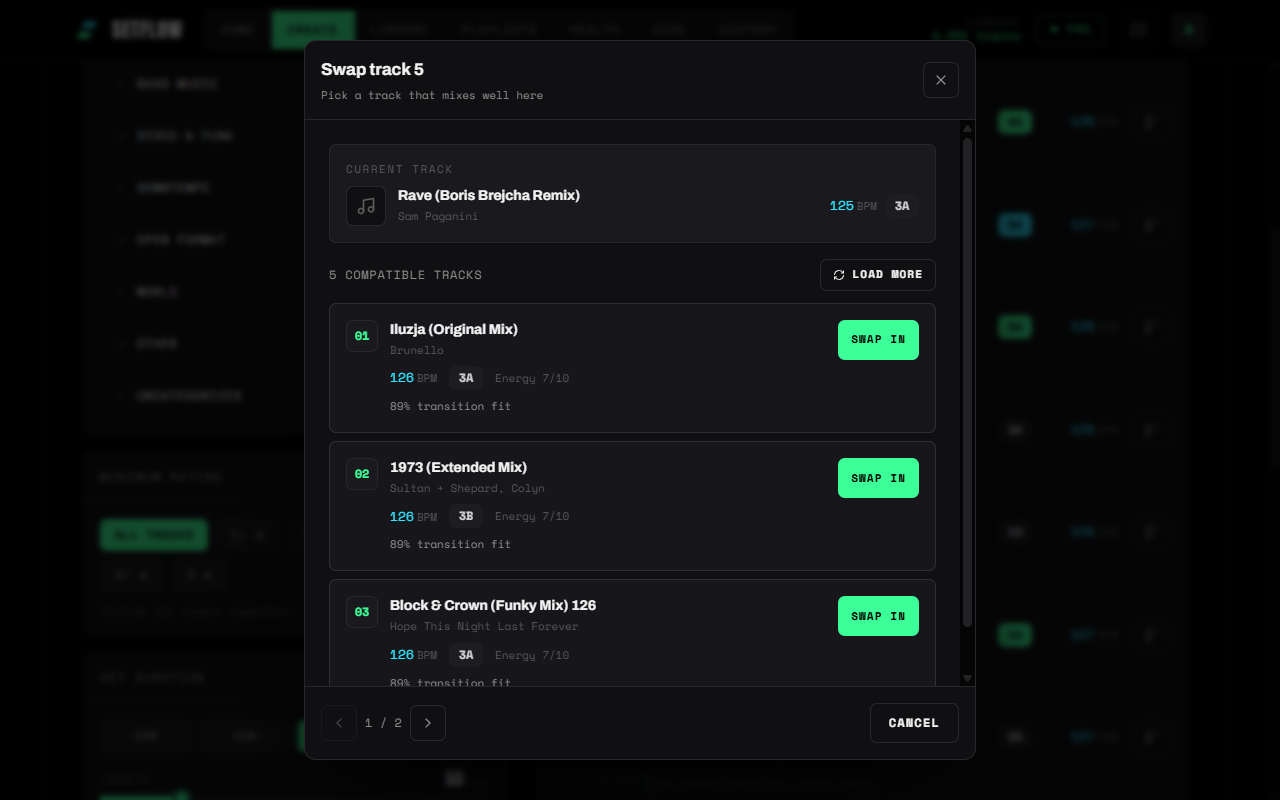
Every track row — on the generated set view and in Set History — now has a Swap control. Tap it and SetFlow opens a shortlist of tracks from your library that mix well in that position, each with its key, BPM, energy, and a plain-English fit score. Pick one, hit Swap in, and it drops straight into the set.
It scores both sides of the mix
This is the part that matters. A swapped-in track doesn't live in isolation — it has to mix out of the track before it and into the track after it. So SetFlow scores every candidate on both transitions and combines them: how cleanly it blends from the previous track, and how cleanly it leads into the next one. A track that sounds great coming out of track four but clashes into track six gets marked down, not surfaced.
Each suggestion uses the same engine that grades your whole set — harmonic compatibility on the Camelot wheel, tempo proximity, and energy — rolled into the transition-fit percentage you see on every row. The list is ranked best-fit first, and “Show more” keeps revealing further options, still ordered by how well they'd mix.
Tuned to the gap you're filling
There's a subtle bit of smarts here. When you swap a track, SetFlow looks for candidates that bridge the tracks around it — not ones that merely resemble the track you're removing. That matters most when the track you want gone is the odd one out: if your neighbours sit at 124 and 126 BPM but the track you're ditching jumped to 135, a plain “find me something near 135” search would hand you more of the same problem. Swap instead hunts for tracks that actually close the gap between its neighbours, so the replacement tightens the mix rather than repeating the mistake.
It keeps the rest of your set intact
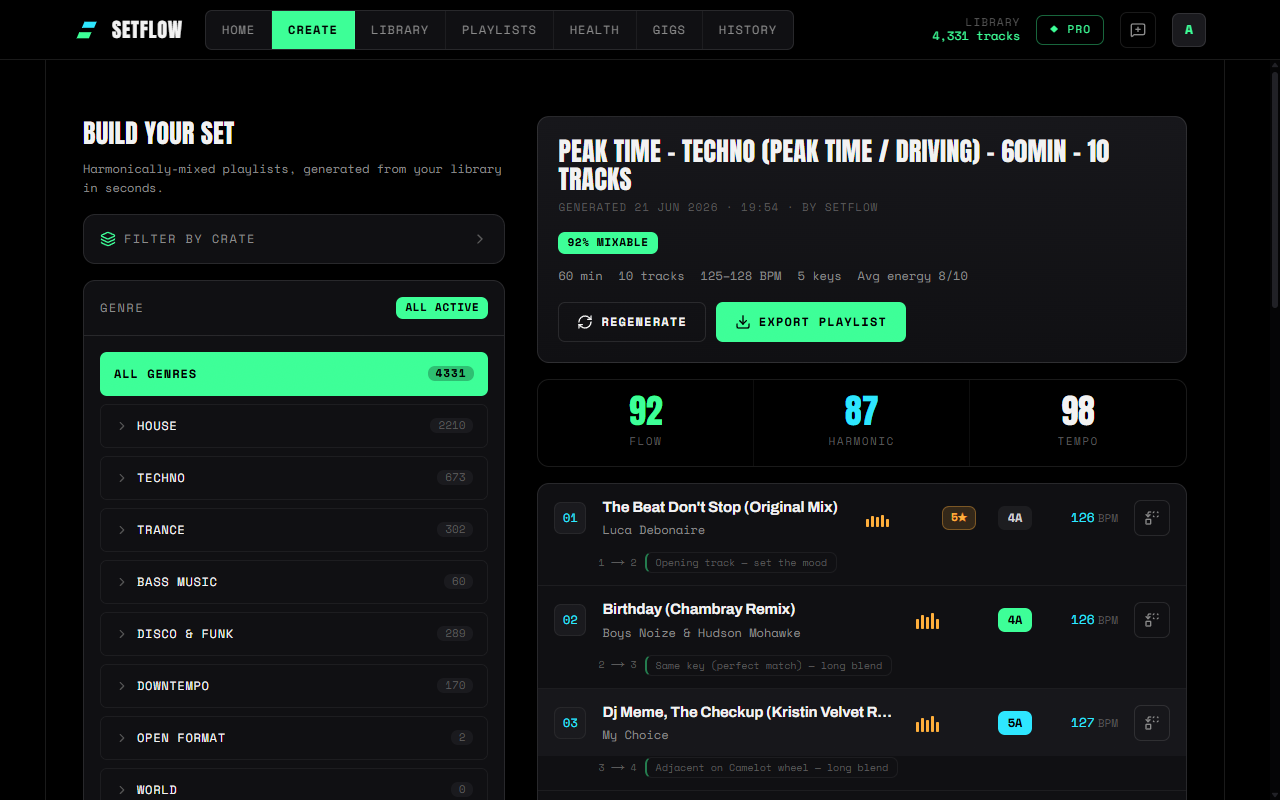
Swapping a track is a tidy, in-place edit — nothing else moves:
- Transition notes update automatically. The mix annotations on either side of the swapped track recalculate for the new neighbours, so the advice always matches what you're actually looking at.
- The rest of the order stays put. Only the one track changes; positions, locks, and everything else are left exactly as they were.
- Your changes are saved. Swap on a saved set and it's written straight back to your history — no separate save step to remember.
Where to find it
Generate a set on the Create page, or open any saved set in History, and you'll see the Swap control on each track. The first time through, it gives a gentle nudge so you know it's there; after your first swap it settles down and stays quietly available on every row. It works the same on desktop and mobile, and it's available on every plan — the scoring is pure harmonic maths, so there's nothing to pay and nothing to wait for.
Same engine, finer control
SetFlow has always built harmonically-mixed sets for you in seconds. Swap is about the last ten percent — the human judgement only you can make about a room, a moment, or a track you're just done with — without giving up the harmonic safety net. Generate your set, swap the one track that isn't working, and export it straight to Rekordbox, Traktor, or Serato. Prefer to build by hand? The rebuilt playlist builder gives you the same scoring as a live workspace.
Get the Camelot cheat sheet
A one-page printable of all 24 keys, compatible moves, and energy jumps — handy next to the decks.
One email with your download. No newsletter, no spam.
Ready to build better sets?
Import your Rekordbox, Traktor, or Serato library and generate perfectly mixed DJ sets in seconds.
Try SetFlow Free