Get Your DJ Library Ready: Analyse, Tag and Rate Your Tracks
SetFlow can only plan with what your tags tell it. A little tidying in your DJ software first means more of your tracks make it into your sets.
Analyse every track
Your DJ software works out each track's BPM and key when it analyses it. SetFlow needs both: a track with no BPM is skipped when you import, and a track with no key comes in as 8A, so it can land next to a track it clashes with.
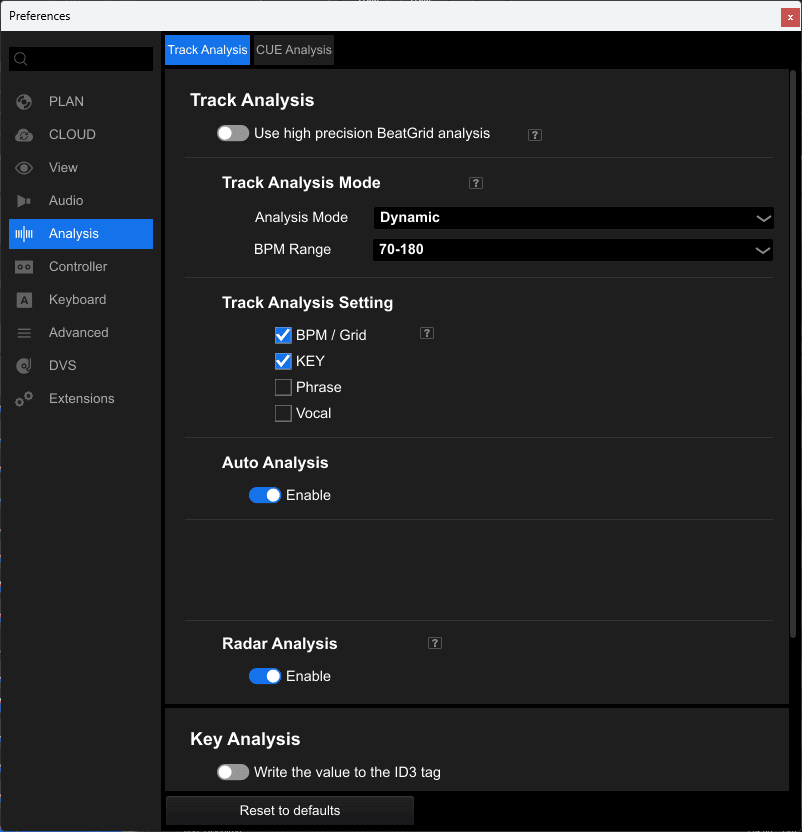
- Open Preferences → Analysis. On the Track Analysis tab, under Track Analysis Setting, tick BPM / Grid and KEY.
- In your Collection, select every track, right-click and choose Analyze Track.
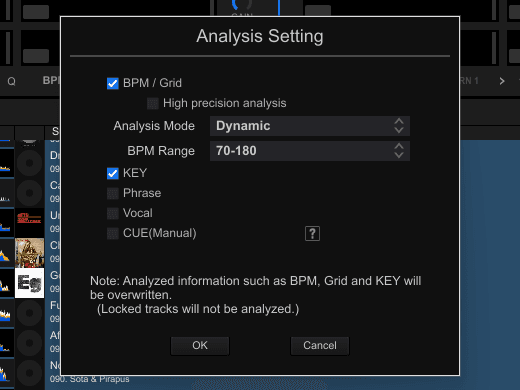
- In the Analysis Setting window, check BPM / Grid and KEY are ticked and press OK.
Analysing again overwrites the BPM, grid and key Rekordbox already has. If you've fixed some grids by hand, lock those tracks first: Rekordbox skips locked tracks.
- Select the tracks you want to analyse.
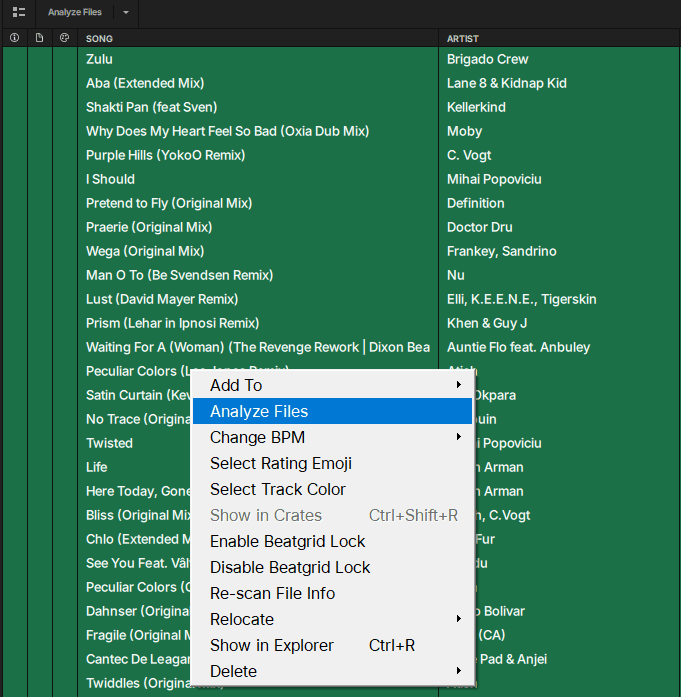
- Right-click them and choose Analyze Files, or use the Analyze Files button above the track list. Serato works out the BPM and key of each one.
- In Preferences → Analyze Options, turn on BPM and key.
- Right-click Track Collection and choose Analyze (Async).
Give each track one main genre
SetFlow matches your Genre tag to its own list of genres, like Afro House or Tech House, and that's what the genre filter on Create uses. Keep one main genre in the Genre field. Put extra styles, like “melodic” or “vocal”, in Comments, or in My Tags if you use Rekordbox.
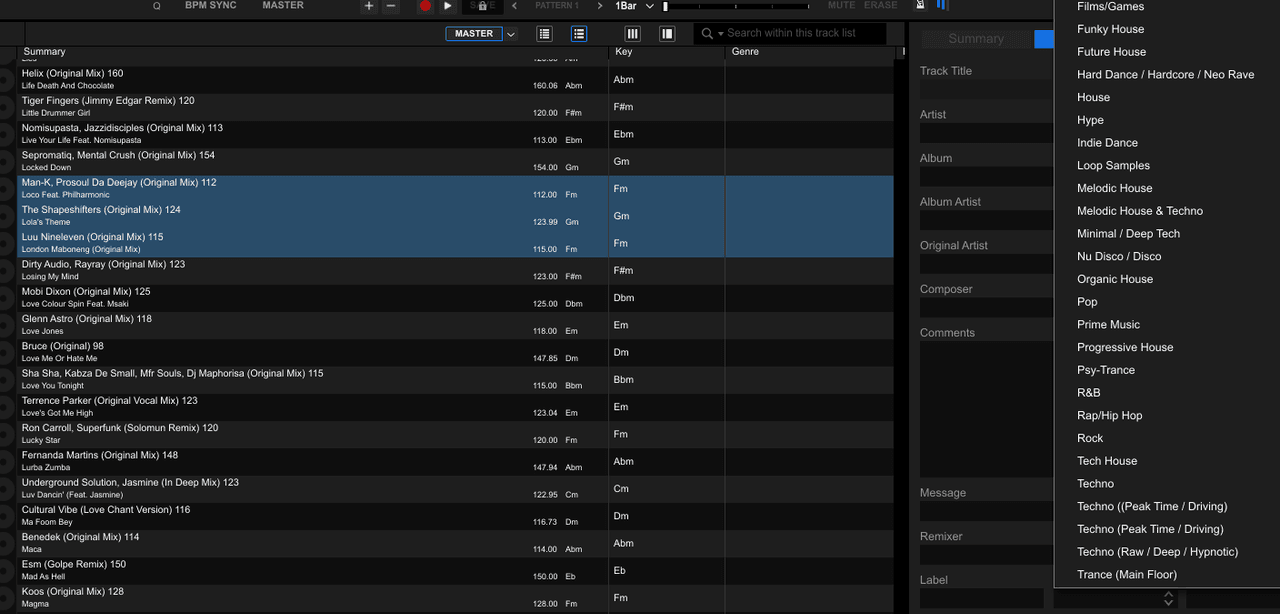
Pick one spelling for each genre and stick to it. Most DJ software lets you select many tracks and set their genre in one go: in Rekordbox, select the tracks, open the track info panel on the right and pick a Genre from its list.
Rate your best tracks
Create has a Minimum rating filter, so you can build a set from your 4 and 5 star tracks only. Tracks with no rating are left out while that filter is on, so rate the tracks you'd play at a gig.
Set the energy in Comments (optional)
SetFlow gives every track an energy from 1 to 10. You can steer it from your DJ software: a word in Comments like banger, peak, groovy, warm up or opener sets it, and so does a track colour in Rekordbox. You can also set energy in SetFlow later, one track or many at once. Step 1 has the full order.
Don't tidy everything by hand first. Import your library as it is, and Library Health shows you which tracks need attention, biggest win first (step 4).
Questions
What happens to a track with no BPM?
It is skipped when you import. The import summary lists the tracks it skipped and why, so you can analyse them in your DJ software and import again.
What happens to a track with no key?
It comes in as 8A (A minor), so SetFlow may put it next to a track it clashes with. Analyse it in your DJ software and re-import to fix it.