Export Your Library from Rekordbox, Serato or Traktor and Import It into SetFlow
You hand SetFlow one file, or your Serato folder, and every track arrives with its BPM, key, genre and rating, along with your playlists or crates.
Export from your DJ software
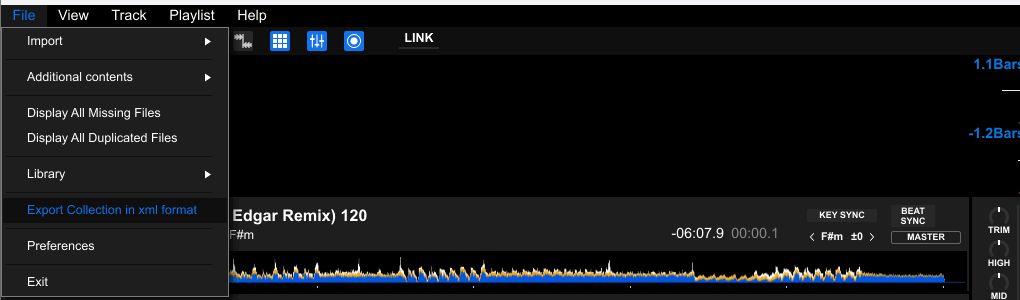
- Open Rekordbox and make sure you're in EXPORT mode.
- Go to File → Export Collection in xml format.
- Save the XML file somewhere easy to find, like your Desktop.
- Close Serato DJ. It only saves your changes when it quits.
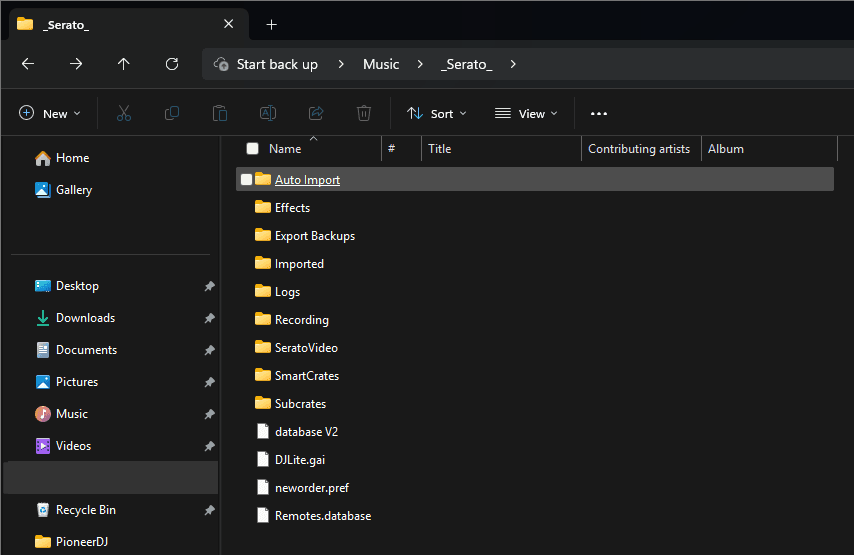
- Find your
_Serato_folder: usually~/Music/_Serato_on a Mac, orC:\Users\you\Music\_Serato_on Windows. - That's it. You pick the whole folder in SetFlow, so there's nothing to export.
- Open Traktor Pro.
- Right-click Track Collection and choose Export Collection.
- Save the
.nmlfile somewhere easy to find.
Import into SetFlow
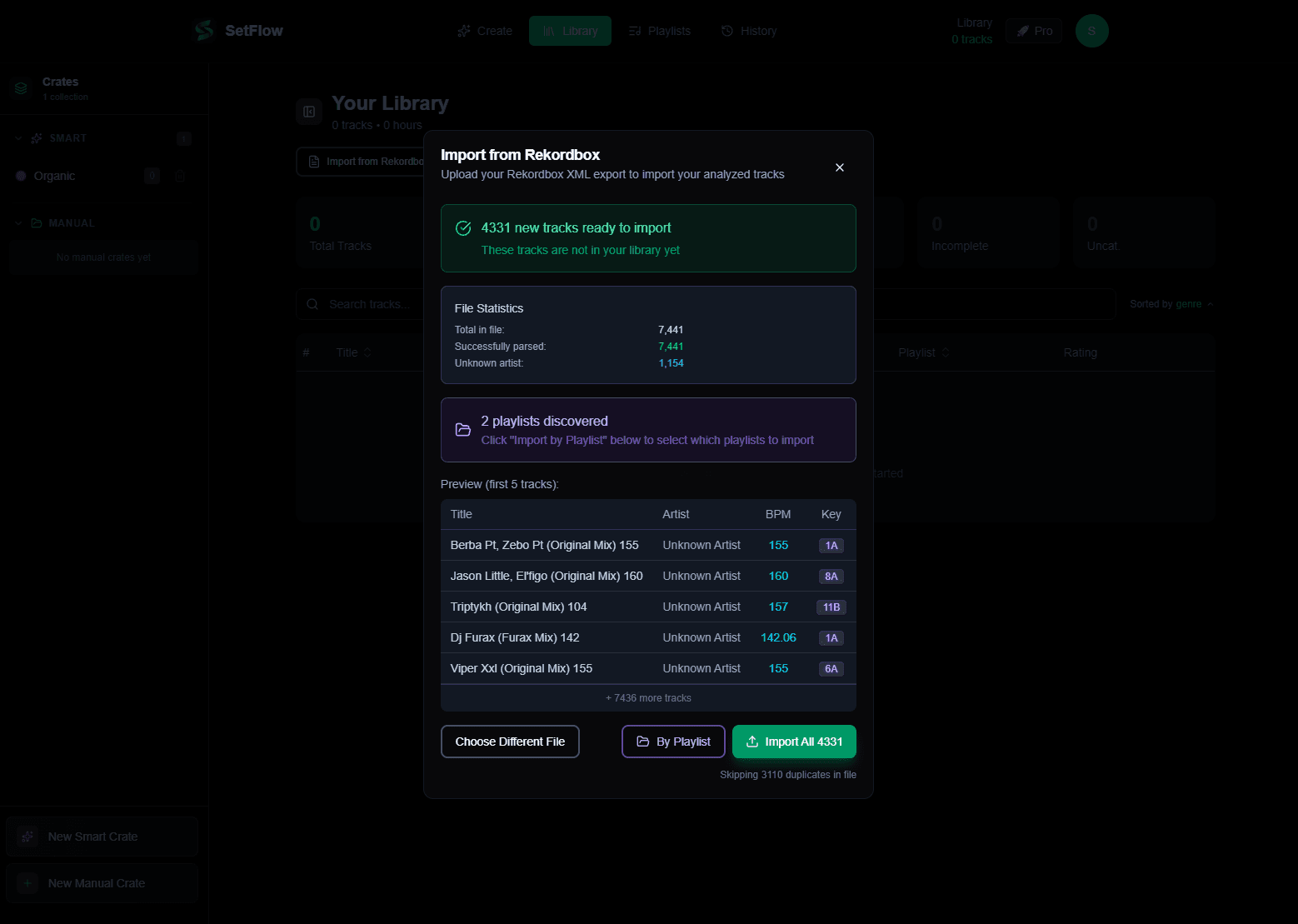
- Open Library and click Import library.
- Pick the tab for your DJ software and drop in your file, or pick your
_Serato_folder. Your browser may ask to “upload” the folder's files: nothing is sent, SetFlow reads them in your browser. - Import everything, or only the playlists or crates you choose.
- Keep the tab open while it runs: big libraries go in batches. If it stops partway, run it again. Tracks already in your library are updated, not added twice.
The free trial and Hobby hold up to 500 tracks; Pro has no limit. If your collection is bigger, import the playlists you play from.
Streaming tracks don't come in
Beatport Streaming, Spotify and TIDAL tracks live in the service's cloud library, not in the collection your DJ software exports, so they can't come in. Tracks you've bought import as normal.
More in streaming and your DJ library.
Check what came in
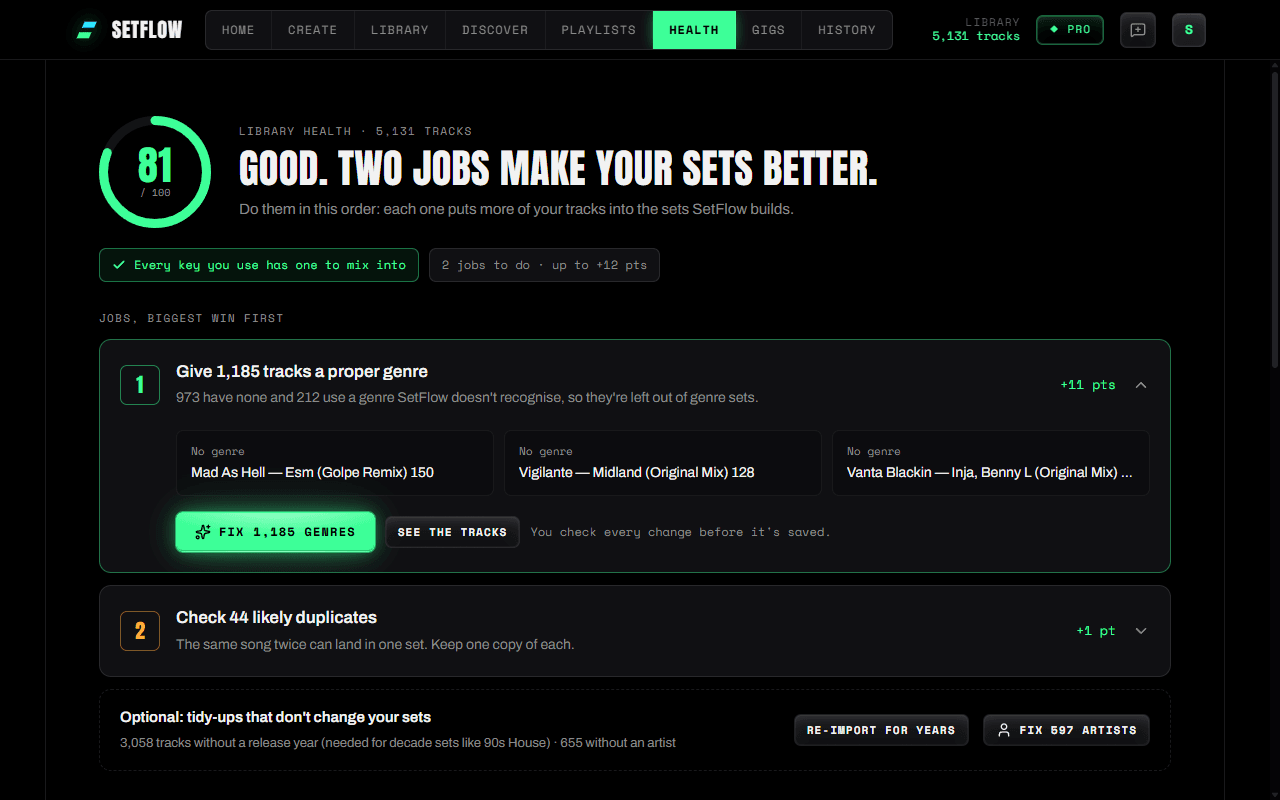
When the import finishes, SetFlow tells you how many tracks it skipped and why, such as no title or no BPM, and names some of them. Then open Health: it scores your library and lists the jobs that put more of your tracks into sets, biggest win first.
Questions
Why did my streaming tracks not import?
Streaming tracks (Beatport Streaming, Spotify, TIDAL) live in the service's cloud library, not in the collection your DJ software exports, so they can't come in. Tracks you have bought import as normal.
My import stopped partway. What do I do?
Run it again with the same file. Tracks already in your library are updated, not added twice. Keep the tab open and visible while a big library imports.