DDJ-400 & FLX4 Beginner’s Guide: Setup to Your First Mix
The Pioneer DJ DDJ-400 taught a generation of bedroom DJs how to mix: affordable, club-standard layout, ready to plug into Rekordbox. This guide takes you from unboxing to your first transition — then to the question every beginner hits next: not how to mix two tracks, but which tracks, in what order.
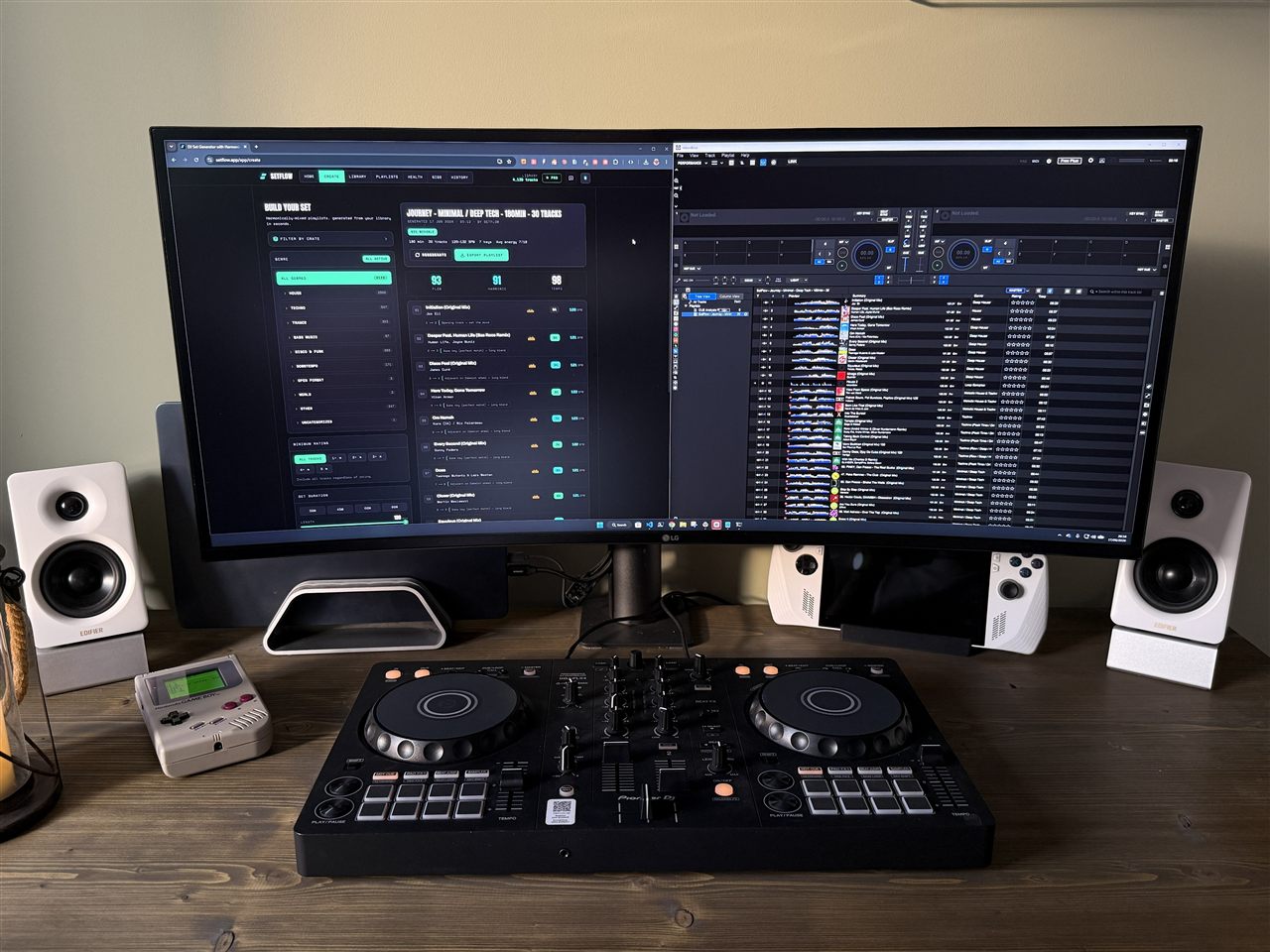
Why the DDJ-400 is still a great first controller
Its layout mirrors Pioneer's club-standard CDJ-2000NXS2 players and DJM-900NXS2 mixer almost button for button — so learn at home and you won't freeze in front of real club gear. Two channels, a crossfader, EQs, performance pads and Beat FX is exactly enough to learn proper mixing on. More would just get in the way.
DDJ-400 vs DDJ-FLX4: which should you start on?
In 2026 the DDJ-400 has been succeeded by the DDJ-FLX4. Buying new? Get the FLX4. Found a used DDJ-400 cheap? Still a brilliant first controller. They're close enough that everything below applies to both.
What you need to get started
- A Mac or PC — the controller is the hands; the software is the brain.
- Rekordbox (free) or Serato DJ.
- Headphones with a 3.5mm or 1/4" jack.
- Powered speakers, via the rear RCA outputs.
- The supplied USB cable — one cable carries audio and power.
- Music you like, ideally 320kbps MP3 or better.
Setting up the DDJ-400 with Rekordbox
- Install Rekordbox from pioneerdj.com and create a free account.
- Connect the controller with the USB cable — it powers on automatically, no wall adapter.
- Switch Rekordbox to Performance mode (the toggle at the top of the window).
- Plug in audio: headphones into the front jack, speakers into the rear MASTER RCA outputs.
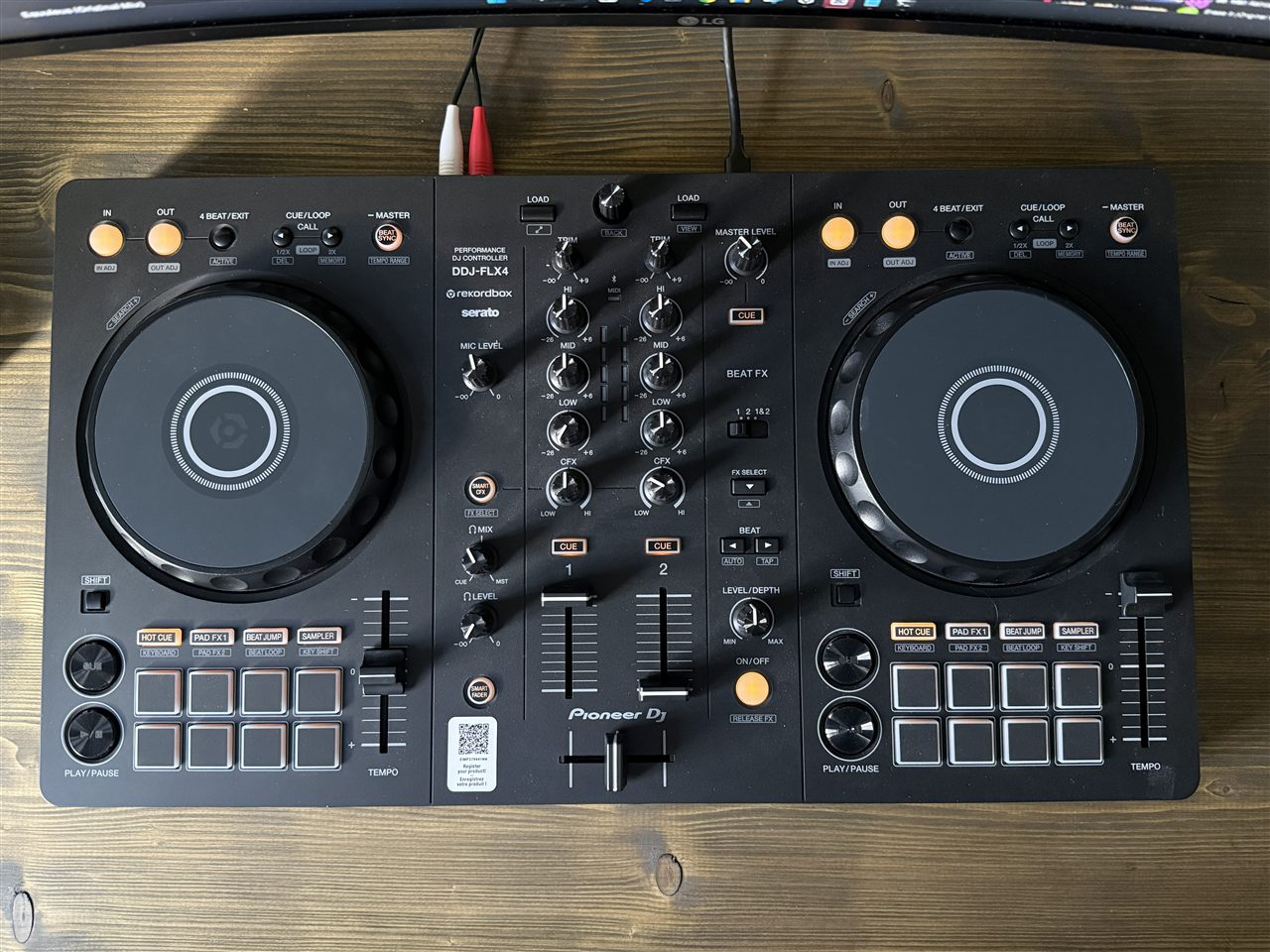
- Import and analyse your music. Drag tracks in and let Rekordbox analyse them — that's what detects BPM and key.
- Load a track and press play. Hear it on the speakers and cue it in your headphones? You're ready.
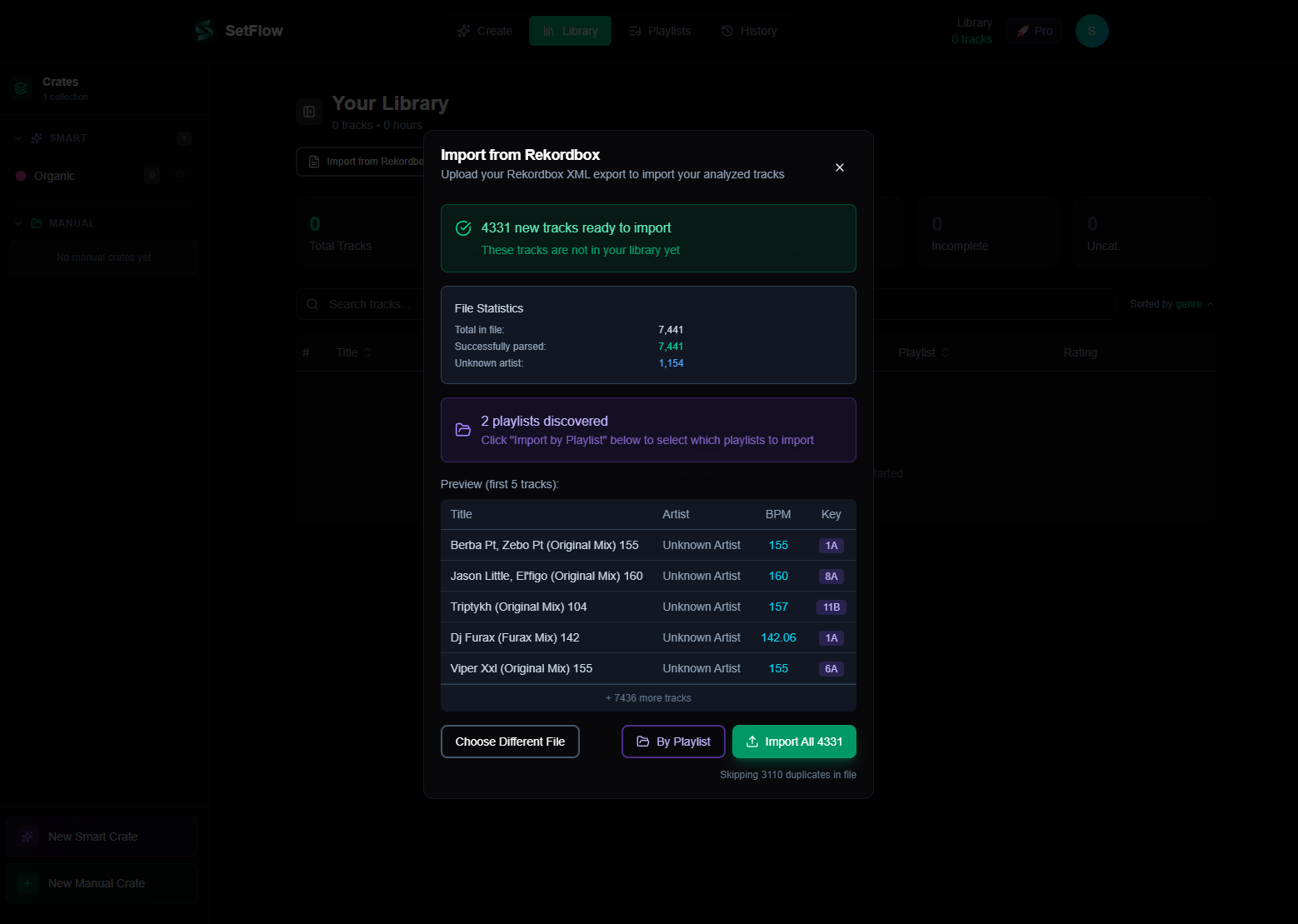
A quick tour of the layout
From the outside in:
- Jog wheels — nudge and scratch; the top and outer edge behave differently in Vinyl mode.
- Tempo faders — speed each deck up or down to beatmatch.
- Channel strips — Trim/gain, three-band EQ, a filter, and a channel fader per deck.
- Crossfader — blends between the two decks.
- Headphone cue — preview a deck privately before bringing it in.
- Performance pads — Hot Cues, Beat Loop, Beat Jump, Pad FX, Sampler.
- Beat FX — tempo-synced effects borrowed from the club-standard DJM mixer.
 12345
12345Your first mix, step by step
The simplest reliable blend — an EQ swap between two tracks at a similar BPM:
- Play track A on deck 1, channel fader up.
- Set the gain so the meter peaks in amber, never red.
- Cue track B in your headphones on deck 2.
- Beatmatch. Press Sync while you learn, but practise matching by ear with the jog and tempo fader — that skill lets you play any gear.
- Bring B in: drop its bass (low EQ), raise its fader, then swap the bass across. Two basslines at once is what makes a mix muddy — only one at a time.
- Finish by fading A out once B carries the energy. Load the next track and repeat.
Common beginner mistakes
- Red-lining the gains. Distortion and no headroom. Keep meters out of the red — loudness comes from the speakers.
- Relying on Sync forever. Fine as a training wheel, but learn to beatmatch by ear.
- Stacking FX. One tasteful echo beats three effects at once.
- Mixing off-phrase. Start blends on 8/16/32-bar boundaries and transitions instantly sound “produced.”
- Ignoring the library. Clean key, BPM and genre data is what lets you find the right next track in seconds.
You can mix two tracks — now what?
Here's the part most beginner guides skip. Once the mechanics click, what actually makes a set sound good isn't a trick on the controller — it's which tracks you play and in what order. A flawless transition between two tracks that don't belong together still sounds wrong. Two skills carry you from here:
- Mixing in key — compatible keys blend, clashing keys sound sour. The Camelot wheel makes it simple, no theory required.
- Shaping energy — warm up, build, peak, come down. Learn the structures that work and your sets stop feeling flat.
Both rely on a well-tagged library, so it's worth learning how to tag tracks in Rekordbox early. Once it's clean, you can even let SetFlow read your library and build a harmonically ordered set in seconds — every transition labelled with its key, tempo and energy match, so you can see why each track follows the last.
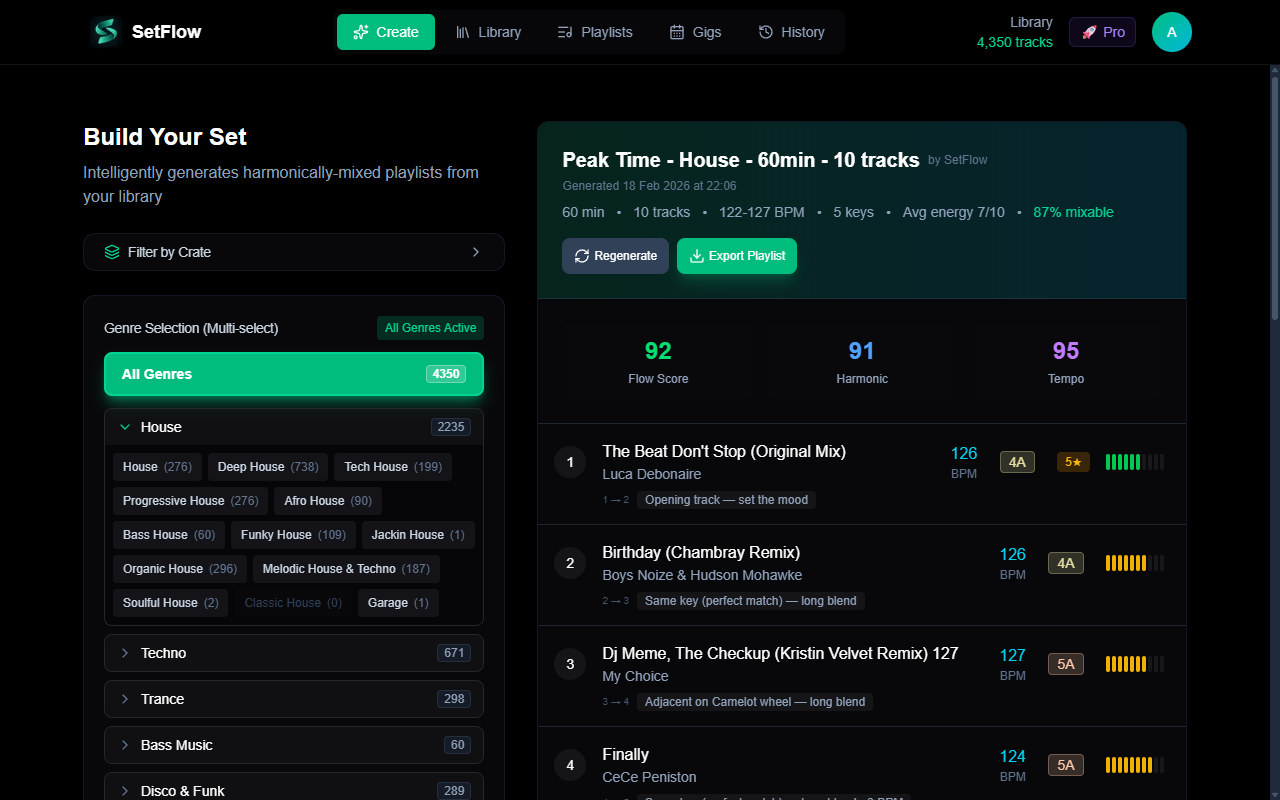
Ready to put a set together? Follow our guide to planning your first DJ set on the DDJ-400, and grab twelve quick wins in the DDJ-400 tips & tricks guide.
Frequently Asked Questions
Is the DDJ-400 still worth buying in 2026?
Yes, if you can find one at a good price. The DDJ-400 has been replaced by the DDJ-FLX4 as Pioneer DJ’s entry controller, but it still does everything a beginner needs: a two-channel club-style layout, jog wheels, performance pads, and Beat FX. If you’re buying new, the FLX4 is the better pick (USB-C, Bluetooth, Serato out of the box). If you find a used DDJ-400 cheap, it remains an excellent first controller.
Does the DDJ-400 work with Serato?
Yes. The DDJ-400 was built for Rekordbox (and ships with a Rekordbox licence), but it is also a supported Serato DJ Pro controller. You can use whichever software you prefer — the layout and workflow are nearly identical. SetFlow imports libraries from both, so your set planning works the same either way.
Do I need a laptop to use the DDJ-400?
For the full experience, yes — the DDJ-400 is a controller, not a standalone player, so it needs Rekordbox or Serato running on a Mac or PC. It can also run with the djay app on a compatible iPhone or iPad if you want a laptop-free setup, though Rekordbox on a computer gives you the most control.
What’s the difference between the DDJ-400 and the DDJ-FLX4?
The FLX4 is the newer model. It adds USB-C, Bluetooth audio, an improved mic input, and out-of-the-box support for both Rekordbox and Serato, with slightly grippier jog wheels. The DDJ-400 keeps a dedicated Beat FX section that the FLX4 trims down. For learning to mix, the two are functionally the same — everything in this guide applies to both.
How long does it take to learn to DJ on a DDJ-400?
Most beginners can perform a basic beatmatched blend within a few hours of practice. Getting transitions to sound clean and consistent takes a few weeks of regular practice. The mechanics are the quick part — the slower skill is track selection and ordering, which is why a well-tagged library and a planned set make such a difference early on.
Ready to build better sets?
Import your Rekordbox, Traktor, or Serato library and generate perfectly mixed DJ sets in seconds.
Try SetFlow Free