Why Your DJ Library Has No Cover Art — And How to Get It Back
Open Rekordbox and your collection looks like a record shop: rows of sleeves you recognise instantly. Export that same collection and hand it to anything else — a spreadsheet, a planning tool, a backup — and the artwork evaporates. You get text.
This is not a bug, and it is not your fault. It is a consequence of where cover art actually lives, and it is worth understanding, because it explains a whole category of “why won't my artwork transfer” frustration.
Where Cover Art Actually Lives
A track's artwork is stored in one of two places, and neither of them is the library file your DJ software exports.
Inside the audio file. MP3s can carry an image in an ID3 tag — specifically an APIC frame, which is the picture bolted onto the file alongside the title and artist. FLAC and AIFF have their equivalents. When the image is here, it travels with the file: copy the MP3 to another machine and the art comes too.
In your DJ software's cache. When a file has no embedded image, or the software wants a faster thumbnail, it keeps its own copy in a private folder and remembers which track it belongs to. This is invisible to everything except the application that made it.
Why the Export Loses It
The library formats that move data between applications were designed to carry the facts about a track, not its packaging. Here is a real TRACK element from a Rekordbox XML collection, trimmed only for width:
<TRACK TrackID="1" Name="Time" Artist="Danny Burridge"
  Album="Objektivity Vol. 3" Genre="Breaks / Breakbeat"
  Kind="MP3 File" Size="17822405" TotalTime="461"
  AverageBpm="133.32" DateAdded="2025-09-10" BitRate="320000"
  Comments="festival anthem" PlayCount="24" Rating="255"
  Location="file://localhost/..." />
BPM, key, genre, rating, play count, file path. No artwork attribute. There is nowhere in that format for a picture to go, so anything reading the XML — including SetFlow — receives a library with no covers in it.
Traktor looks like it does better, and then doesn't. NML files contain entries like COVERARTID="014/OQTWBRBEMT0RZD0EQHEUBNC14XDB" — one on nearly every track. That is not an image and not a path to one; it is an index into Traktor's own cache folder on that particular computer. Move the NML and the reference points at nothing.
Serato stores its crates as binary files listing file paths, and reads artwork from the audio files themselves at display time. Same outcome: the crate knows which tracks, not what they look like.
Two Ways to Get Your Covers Back
Embed the art into the files. A tag editor like Mp3tag or MusicBrainz Picard can fetch artwork and write it into each file's ID3 tag. This is the permanent fix: the image becomes part of the file, so it survives every copy, every export and every piece of software you ever use. It costs disk space and an afternoon, and it is genuinely worth doing if you are already cleaning up tags — which, if your library has blank genres or questionable keys, you probably should be.
Match and display. The alternative is to look each track up in a music catalogue by title and artist, and show the cover that comes back. Nothing is written to your files, nothing is downloaded to your disk, and it takes minutes rather than an afternoon. The trade-off is that it only works for music the catalogues know about, and it depends on your metadata being good enough to match on.
The Matching Problem Nobody Warns You About
Catalogue matching sounds trivial and isn't, because DJ metadata is messy in specific ways. Three problems dominate.
Mix suffixes. Your file says Birthday (Chambray Remix) [feat. MC X]; the catalogue has Birthday. Search for the full string and you get nothing at all. Strip the brackets and you find the release.
Collaborations. Boys Noize & Hudson Mohawke may be listed under one name, the other, or something different again. Searching on the first credited artist is usually the safest bet.
Placeholder credits. This is the dangerous one. Libraries are full of tracks credited to “Unknown Artist” or “Various” from bad rips and compilation exports — and music catalogues contain real entries under exactly those names. A naive matcher searches for “Unknown Artist”, finds something called that, and staples a stranger's album cover onto your track. It looks like it worked. It didn't.
The lesson generalises beyond artwork: when software matches your library against an outside database, the failure mode you should fear is not “found nothing”. It is “confidently found the wrong thing”. An empty square tells you the truth. A wrong cover tells you a lie every time you scroll past it.
What Covers Are Actually For
Let's be honest about the benefit: artwork will not improve a single transition. Your mixes are made of key, tempo and energy, and a picture changes none of them.
What it changes is how fast you can read your own library. Humans recognise images far faster than they read text, which matters in the two moments that count: scanning a crate for the next track with ninety seconds left, and scrolling a set list to check it is the one you meant to play. A wall of identical text rows makes both of those slower than they need to be.
How SetFlow Does It
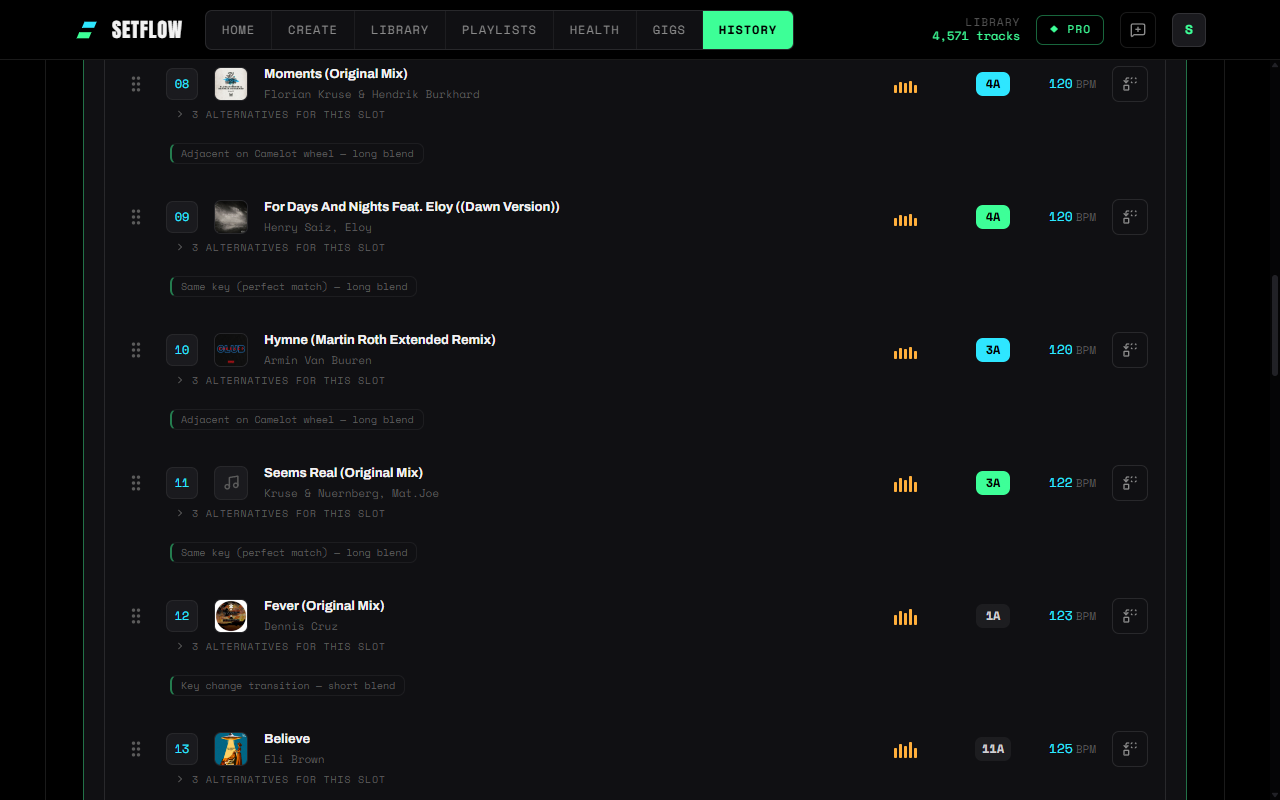
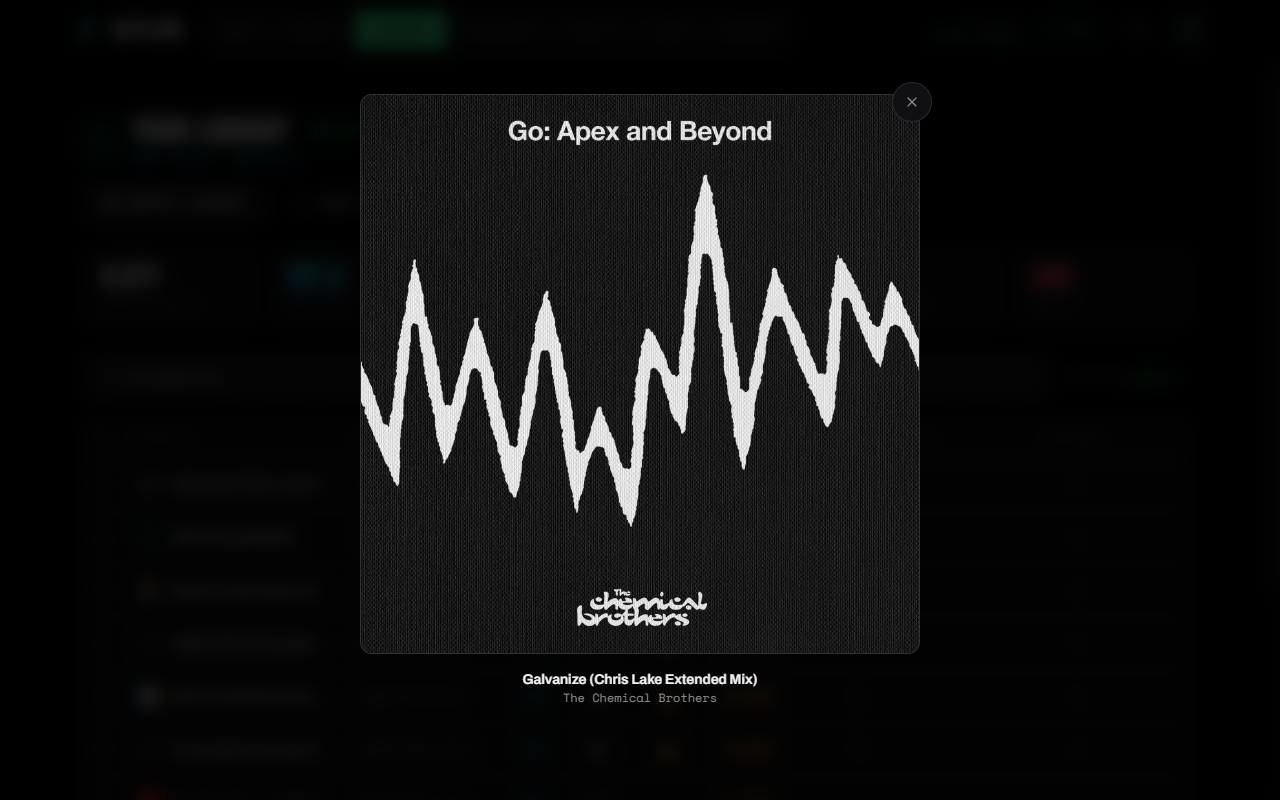
SetFlow takes the match-and-display route. Hit Find Artwork in your Library and it works through your tracks, looking each one up by title and artist and storing the cover it finds. Covers then appear in the library, in sets you generate, in your history and on the share links you send to promoters. Click any cover in the app to see it full size.
It handles the three matching problems above: mix suffixes are stripped before searching, the first credited artist is used for collaborations, and placeholder credits are skipped rather than guessed at. Both the artist and the title have to agree before a cover is accepted.
On a real 4,500-track collection it found covers for around 86% of tracks that had proper artist metadata. The rest were bootlegs, white labels and unreleased edits — music that is not in any catalogue, and never will be. That is the honest ceiling for this approach, and it is why the tag-editor route still exists for anyone who wants every last sleeve.
Everything else SetFlow does — harmonic matching, energy curves, set generation — runs on the metadata you already have. Covers are simply the part you see. Try it free.
Frequently Asked Questions
Why does my DJ library have no album artwork?
Because artwork lives in a different place from the metadata your DJ software exports. Cover art is either embedded in the audio file itself (an APIC frame inside the ID3 tag) or held in your DJ software's private cache. The library files that move data between applications — Rekordbox XML, Traktor NML, Serato crates — carry BPM, key, genre and file paths, but not the images. So anything reading your library from an export sees text, never covers.
Does Rekordbox XML include cover art?
No. A TRACK element in a Rekordbox XML collection lists Name, Artist, Composer, Remixer, Album, Genre, Kind, Size, TotalTime, AverageBpm, Tonality, DateAdded, BitRate, Comments, PlayCount, Rating and Location — and that is the lot. There is no artwork attribute and no path to an image file. Rekordbox displays covers by reading them out of the audio files on disk, which is why the artwork appears in Rekordbox but travels nowhere.
What is COVERARTID in a Traktor NML file?
It is a pointer into Traktor's own cover art cache, not an image. Entries look like COVERARTID="014/OQTWBRBEMT0RZD0EQHEUBNC14XDB" — an opaque identifier that maps to a file inside Traktor's CoverArt folder on that specific machine. Copy the NML somewhere else and the IDs are meaningless, because the cache did not come with them.
How do I add cover art to my DJ tracks?
Two routes. The thorough one is to embed artwork into the files themselves with a tag editor such as Mp3tag or Picard, which fixes it permanently and travels with the files — worth doing if you are already tidying tags. The quick one is to let software match your tracks against a music catalogue by title and artist and display what it finds, which costs no re-tagging and no disk space.
Will cover art make me a better DJ?
No, and nobody should pretend otherwise. It makes a library faster to read, which is a different and smaller claim. Recognition by sight beats reading in a hurry — in a dark booth, scanning a wall of identical text is slower than spotting a sleeve you know. That is the whole benefit.
Ready to build better sets?
Import your Rekordbox, Traktor, or Serato library and generate perfectly mixed DJ sets in seconds.
Try SetFlow Free